Product Images
New
Smart Remote Rocker Light Switch with Bluetooth, No-Hub Required, Battery Powered, White (1-Pack), Powered by Hubspace
- Set up in under 60 seconds using the Hubspace app
- Bluetooth pairs with multiple Hubspace devices for smart control
- Flexible mounting options: wall mount with screws or adhesive
- View More Details
Free & Easy Returns In Store
Return this item within 90 days of purchase.
Ask about this product
Get an answer now with AI
Magic Apron Assistant is an AI virtual assistant. By proceeding, you consent to the recording and use of your information by The Home Depot (and authorized third parties). More information
Product Details
About This Product
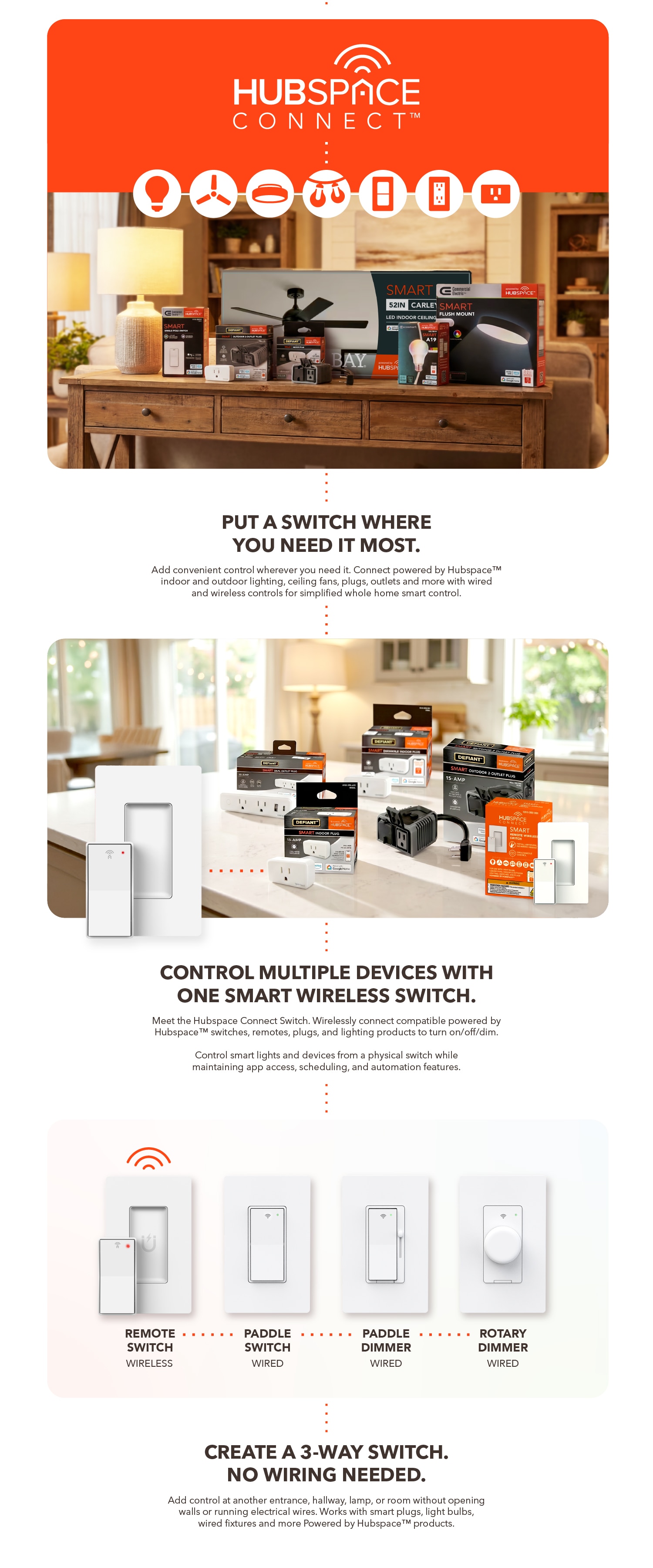
Add smart lighting control exactly where you need it with the Commercial Electric Smart Remote Wireless Rocker Switch powered by Hubspace. The battery-powered, wire-free design eliminates the need for electrical wiring or an electrical box. Mount the remote with adhesive or screws, or use it in hand for convenient control anywhere in the room. Pair it through Bluetooth with compatible Hubspace smart switches, dimmers and lighting devices to create a wireless 3-way or multi-location setup without opening walls or running new wires. One remote can pair with multiple compatible Hubspace devices, helping you create coordinated control that fits your space. With the paired Hubspace devices and app, you can build out a connected home experience with schedules, automations and remote control, then expand over time by adding more compatible Hubspace products. The classic white rocker design coordinates with traditional wall switches, and no separate smart home hub is required.
Highlights
- Add a convenient switch location without wiring, an electrical box or an electrician
- Pair through Bluetooth with compatible Hubspace smart switches, dimmers and lighting devices
- Create wireless 3-way or multi-location lighting control without opening walls or running new wires
- Pair one remote with multiple compatible Hubspace devices for coordinated on/off control
- Expand your connected home over time by adding compatible Hubspace products
- Use the Hubspace app with paired compatible devices to create schedules, automations and remote-control experiences
- Battery-powered design supports fast, wire-free DIY installation
- Mount with adhesive for tool-free placement or screws for a more permanent installation
- Use on the wall or in hand for flexible control anywhere in the room
- Classic white rocker design coordinates with traditional wall switches
- No separate smart home hub required
- Ideal for stairways, hallways, bedrooms, garages, entryways and hard-to-wire spaces
- Great for renters, renovations and temporary installations where new wiring is not desired
- Shop more Hubspace smart home products here
- Click here for more information on Electronic Recycling Programs
- Return Policy
Product Information
Additional Resources
From the Manufacturer
Specifications
Dimensions: H 4.7 in, W 2.92 in, D 0.7 in
Dimensions
Product Depth (in.) | 0.7 in |
|---|---|
Product Height (in.) | 4.7 in |
Product Width (in.) | 2.92 in |
Details
Amperage (A) | 0 A |
|---|---|
Circuit Connection | Multi-Location |
Color Family | White |
Color/Finish | White |
Compatible Bulb Type | LED |
Control Function | Fan, Light, Timer |
Control Style | Rocker |
Features | No Additional Features |
Finish Type | Matte |
Material | Polycarbonate |
Package Quantity | 1 |
Power Options | Battery |
Remote Access | Remote Access |
Requires Hub? | No Hub Required |
Returnable | 90-Day |
Smart Home | Smart Home Enabled |
Smart Home Protocol | Bluetooth |
Voice Control Hub Required | No Voice Control |
Voltage (V) | 3 V |
Wall Plate Included | With Wall Plate |
Wattage (W) | 0 W |
Works With | Hubspace |
Warranty / Certifications
Manufacturer Warranty | 1 year |
|---|
Questions & Answers
Does it fit in junction box
Thank you for reaching out with your question about the Smart Remote Rocker Light Switch with Bluetooth! No, this remote switch is not designed to fit inside an electrical junction box. It is a wireless, battery-powered surface-mount remote control rather than a hardwired wall switch. Here is how the mounting and installation work: • Surface-Mount Design: Because the switch runs on a battery and does not connect to household electrical wires, it has a flat back that mounts directly onto any flat wall surface using the included double-sided adhesive tape or mounting screws. • What to Do If You Have an Existing Junction Box: If you want to place this switch over an existing standard electrical wall box, you would first need to safely cap the wires inside the box and install a blank wall plate over the opening. You can then mount the smart remote directly onto the blank wall plate. (Note: Always turn off power at the circuit breaker before working with any electrical wiring or junction boxes.) • Replacing a Hardwired Switch: If you are looking for a smart switch that fits inside a standard junction box and connects directly to your home's electrical wiring, you will want to look for an in-wall hardwired smart switch instead of a battery-powered remote. If you have any questions about your installation setup or how to pair the remote with your Hubspace devices, please feel free to email our team at customerservice@leedarson.com. We would be happy to assist! Best regards,
Won't connect to a lightswtich no matter whag I delete, redownload, clear, I have all permissions good and it still wants me to connect to a gateway which make no sense my light is connected to internet fine.
We are sorry to hear you are having trouble pairing your remote rocker switch. This battery-powered remote switch uses a direct Bluetooth connection to pair with your existing Hubspace smart lights or hardwired switches, rather than connecting directly to your home's Wi-Fi network or requiring a separate internet gateway. The app error asking for a "gateway" typically triggers when the remote switch attempts to connect as a standalone Wi-Fi device or when it loses synchronization with your existing setup. To bypass this error and link your remote successfully, please try the following steps: 1. Reset the Remote Switch: Press and hold both the On and Off buttons simultaneously for more than 5 seconds. The LED indicator will flash red, indicating the device has cleared its previous configuration and entered pairing mode. 2. Pairing Sequence: Open the Hubspace app, tap the + icon, select Add Product, and scan the QR code located on the back of the remote switch housing. 3. Link to Your Smart Light: Instead of setting it up as an independent internet hub, the app will prompt you to choose which compatible Hubspace smart bulb, fixture, or dimmer switch you want this remote to control. If the app continues to display a gateway error or if you need us to walk you through the pairing screen manually, please reach out to our team at customerservice@leedarson.com so we can help resolve this for you.
How far can the remote be from the connecting light?
The battery-powered Hubspace Smart Remote Rocker Switch has a maximum wireless Bluetooth range of up to 60 feet (approximately 18 meters) from the connecting light fixture or hardwired smart switch under open-air conditions.
Can this be paired with single pool non dimmable switch to make it dimmable
No, pairing this remote switch with a standard single-pole, non-dimmable wall switch will not make your physical light fixture dimmable. A traditional single-pole wall switch is a mechanical on/off break in your home's 120V wiring. Because this wireless remote operates strictly via Bluetooth commands, it has no physical way to force a mechanical wall switch to alter voltage or dim a light fixture. How to Actually Make Your Lighting Dimmable To achieve dimming using this remote switch, your configuration must follow one of these two smart home setups: • Option 1: Pair it with Hubspace Smart Light Bulbs (Easiest Method): You can leave your traditional single-pole wall switch completely alone (leaving it flipped to the ON position to supply continuous power). If you screw Hubspace smart LED bulbs into your light fixture, you can pair this remote switch directly to those bulbs via Bluetooth. The remote will then digitally dim the smart bulbs from 1% to 100% using its rocker buttons. • Option 2: Pair it with a Hardwired Hubspace Smart Dimmer Switch: You can replace your traditional mechanical single-pole wall switch with a hardwired Hubspace Smart Dimmer Switch. Once installed, you can pair this battery-powered remote to that smart wall switch wirelessly. The remote will act as a virtual 3-way controller, allowing you to dim the circuit from a completely different wall or location in the room. Remember that this battery-powered remote requires a smart ecosystem component (either a smart bulb or a smart wall switch) to send its dimming commands to. It cannot control or dim standard, non-smart LED or incandescent bulbs on a traditional mechanical circuit. If you have a specific type of light bulb or fixture you are trying to control, feel free to reach out to us at customerservice@leedarson.com and we can help you choose the right smart components for your project!
Viewing 1-4 of 4
Customer Reviews
4.9 out of 5
5
10
4
1
3
0
2
0
1
0
 Customer review from influenster.com
Loading Recommendations
Related Products

15 Amp Single-Pole White Smart Light Switch with Wi-Fi and Bluetooth Technology Powered by Hubspace (1-Pack)
The Commercial Electric Smart Hubspace 15 Amp Single-Pole Specialty Light Switch with Wi-Fi and Bluetooth Technology allows you to control your lights via app from wherever you are. No hub required and compatible with Amazon Alexa and Google assistant that allows you to use your voice to turn on or off. You can also pre-set on/off schedules via the Hubspace app for Android or iPhone. The smart switch installs as easily as a traditional light switch, and it works in a single-pole setup only and requires a neutral wire to power the smart light switch.

Decora Smart Anywhere Wire-Free 3-Way Switch Companion Light Switch for Decora Smart Wi-Fi Devices, White, DAWSC-1RW
Wire-free solution - wirelessly add on/off control where you need it such as at the base of a staircase or end of a hallway. Use included adhesive or wall box screws to mount on the wall or at the electrical wall box within a 50 ft. range of the primary Decora Smart device (Decora Smart device required and sold separately). Add on/off control of connected lamps, electronics and small appliances or wirelessly add a 3-way/multi-location - no wiring required. Compatible with Wi-Fi - 802.11 b/g/n networks 2.4GHz only
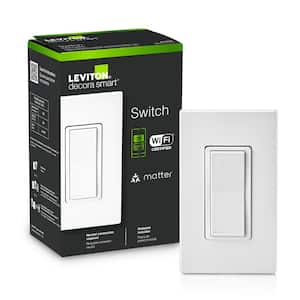
Decora 15Amp Smart Light Switch White, Wi-Fi, On/Off Control Lights/Fans, Gen Use, 3A LED, 1/3 HP, Neutral Req D315S-1RW
Upgrade your home with the Leviton Decora Smart Switch, designed for fast setup, reliable performance, and hub free smart lighting control. This switch connects directly to your 2.4 ghz Wi-Fi network and works with the My Leviton app so you can control lights, create schedules, and manage your home from anywhere. Never come home to a dark house again-schedule exterior lights to turn on at sunset, or set it and forget it by automating indoor lighting to turn on whenever you choose. When you're away, activate randomization to make your home look lived in for added security. Built for the modern smart home, this switch supports Matter for easy, local integration with leading platforms. Use Hey Google, Amazon Alexa, or Apple Siri for simple voice commands to turn lights on/off or control multiple rooms at once. Enjoy advanced performance with support for loads up to 15Amp, including 1/3 HP motor loads, plus intuitive ON/OFF control and slim product depth for easier installation. Designed to complement any decor, the Decora Smart Switch includes a screwless wall plate for a clean, modern look and includes a 1 year limited warranty. Pair with other Decora Smart Wi Fi devices-dimmers, outlets, fan controls, and more-to build a complete smart home system.
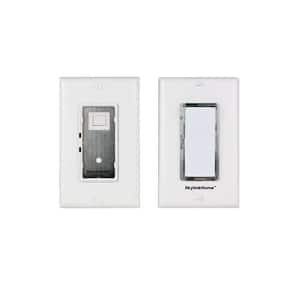
SK-8 3-Way On-Off 5 Amp Smart Single-Pole Illuminated Antimicrobial Rocker Light Switch, White Each
The SkyLink Home Wireless 3-Way ON/OFF Kit gives you the convenience of adding an extra wall switch without the hassle of running additional wiring. You can turn lights on and off from either end, making it ideal for stairwells, garages, bedrooms or basements. Easily install by replacing your existing wall switch with the SkyLink Wall Switch receiver (WE-001) and mount the Wireless Wall Switch transmitter with screws or double sided tape (included) anywhere you would like to control your lighting. Unlike many other brands of wall switches, our SkyLink Home Control Wall Switch receiver doesn't require neutral wiring, making the installation even easier. The Wireless Wall Switch transmitter is operated by a long life lithium battery and carries a signal up to 500 ft. away in an open area. You can also add up to eight SkyLink wireless transmitters, such as the Wireless Wall Switch (TB-318), Motion Sensor (ID-318) or Remote Controls (TC-318 Series), to control your Wall Switch receiver. To give the SkyLink Wall Switch receiver a more stylish look, snap on a decorative cover, TM-002 (sold separately), to the opening of the Wall Switch receiver (WE-001). Once the Snap-On Cover has been placed on the opening of the Wall Switch receiver, simply press the button on the cover to turn the lights ON/OFF.