Product Images
Cam OG, Wired Indoor/Outdoor 1080p HD Smart Home Security Camera with Built-In Spotlight, Black

- 1080P HD video and color night vision for monitoring your home
- IP65-rated water-resistant build allows outdoor usage
- 2-way audio for convenient hearing and speaking
- View More Details
Free & Easy Returns In Store
Return this item within 90 days of purchase.
Ask about this product
Get an answer now with AI
Magic Apron Assistant is an AI virtual assistant. By proceeding, you consent to the recording and use of your information by The Home Depot (and authorized third parties). More information
Product Details
About This Product
WYZE Cam OG is the 4th generation of WYZE's flagship camera, WYZE Cam. Like its predecessor WYZE Cam OG lets you see and record 1080p video right from the WYZE mobile app. New to WYZE Cam OG is its waterproof design allowing for outdoor installation with an IP65 rating. WYZE Cam OG also includes our Starlight Sensor which allows for extreme low-light performance and shows great detail in the dark. with WYZE Cam OG's color night viewing, night time video recording appears as if it's day time. Use the integrated spotlight for even better light at night.
Highlights
- Livestream with color night vision; monitor your home day or night with 1080P HD video and color night vision
- Indoor/outdoor: WYZE Cam OG is a wired video camera with an IP65 rating so you can confidently install it outside in the rain or inside in the kids' room; WYZE Outdoor Power Adapter (sold separately) required for outdoor use
- Deter intruders: a 40lm built in spotlight and mini-siren ward off would-be package thiefs
- Motion/sound notifications: WYZE Cam OG alerts you instantly when motion or sound is detected; Motion Detection Zones and custom settings allow you to adjust the sensitivity of detection or turn it off completely
- 2-way audio: See, hear and speak to guests with improved two-way audio
- Stand and wall mount included: WYZE Cam OG includes a non-slip, non-stick stand, perfect for placing anywhere; A mounting kit with screws and quick-connect system is also included for fast, easy mounting, indoors or outdoors
- Click here for more information on Electronic Recycling Programs
- Return Policy
Product Information
Specifications
Dimensions: H 3.4 in, W 2.8 in, D 2.8 in
Dimensions
Product Depth (in.) | 2.8 in |
|---|---|
Product Height (in.) | 3.4 in |
Product Width (in.) | 2.8 in |
Details
Camera Connection | Wireless Cameras |
|---|---|
Camera Resolution | 1080p |
Camera Technology | IP |
Camera Type | Spotlight |
Color Family | White |
Color/Finish | Black |
Connectivity | Wireless (Wireless Network Transmission) |
Exterior Fixture Type | Spotlight w/ Camera |
Features | 2-Way Audio, 2-Way Intercom Camera, Built-in Speaker, Ceiling Mountable, Day/Night Mode, Indicator Light, Motion Sensor, Night Vision, Remote Access, Wall Mountable, Weather Resistant |
Field of View | 90 Degrees |
Image Sensor Type | CMOS |
Included | Cables, Mounting Hardware |
Indoor/Outdoor | Indoor, Outdoor |
IP Rating | Weather Resistant |
Lumens | 40 |
Microphone | Two-Way Audio |
Night Vision Distance (ft.) | 30 |
Pack Size | 1 |
Power Options | Plug-in |
Power Source | Plug-in |
Recording Storage | Cloud, No onboard storage, SD Card |
Remote Access | Remote Access |
Requires Hub? | No Hub Required |
Resolution | 2MP (1080p) |
Returnable | 90-Day |
Rotation Direction | Fixed |
Smart Home | Smart Home Enabled |
Smart Home Protocol | Wi-Fi |
Storage Capability | Cloud, SD Card |
Video Signal | HD |
Voice Control Hub Required | Voice Control via Proprietary App |
Voltage (V) | 5 V |
Works With | Alexa, Google |
Warranty / Certifications
Manufacturer Warranty | 1 Year Warranty |
|---|
Questions & Answers
Is this a plug-in model?
Hi there! Yes, the Wyze Cam OG is a wired camera powered by a USB cable and adapter.
Can I power this with a solar battery pack?
It’s says it is 29.00/case how many in a case
Will this work without an sd card?
Do I need SD card
Hi there! Yes, the Wyze Cam OG works without a microSD card. You can still view live video and receive basic motion alerts. However, you’ll need a microSD card to save and view local recordings. A subscription is optional for additional features like cloud video storage and AI detection. If you have other questions, concerns, or would like to speak more about our products, please reach out to our Wizards team (https://support.wyze.com/hc/en-us) so we may help. Thank you and have a great day!
Subscription needed? How to setup
Hi there! No subscription is required to set up or use the Wyze Cam OG. You can view live video and receive motion alerts for free. A Cam Plus subscription is optional for additional features, such as cloud video recordings and AI detections. To set up your camera, download the Wyze app, plug in your camera, and connect your phone to a 2.4 GHz Wi-Fi network. In the app, tap Home > + > Add Device > Cameras > Wired Camera > Wyze Cam OG, then follow the on-screen instructions. If you have other questions, concerns, or would like to speak more about our products, please reach out to our Wizards team (https://support.wyze.com/hc/en-us) so we may help. Thank you and have a great day!
can this be hooked up to your laptop computer ?
How long is the USB power cord
Hi there! The Wyze Cam OG comes with a 6-foot (1.8 m) USB power cable. It uses a microUSB cable and a 5V/1A power adapter. If you have other questions, concerns, or would like to speak more about our products, please reach out to our Wizards team (https://support.wyze.com/hc/en-us) so we may help. Thank you and have a great day!
Do you need wifi for this
Hi there! Yes, the Wyze Cam OG requires a 2.4 GHz WiFi connection for setup and normal operation. A stable WiFi connection helps ensure reliable live streaming and notifications. If you need help getting connected, please reach out to our Wizards team through Wyze Support: https://support.wyze.com/hc/en-us. Thank you for your interest in Wyze!
Viewing 1-8 of 89
Customer Reviews
4.3 out of 5
5
1135
4
330
3
238
2
49
1
105
 Customer review from wyze.comCustomer review from wyze.comCustomer review from wyze.com
- Account Verification with Credit Card: Wyze does not require a credit card to set up or use our cameras. If you were prompted to enter credit card information during setup, it may have been related to optional services like subscribing to Cam Plus or other premium features. However, these services are not mandatory for the camera to function. You can use Wyze cameras with basic features without any additional charges.
- Security of Your Information: We take the security of our customers' information very seriously. If you suspect any unusual activity during the setup process, we recommend ensuring that you downloaded the official Wyze app from a trusted source (Google Play Store or Apple App Store) and not a third-party platform.
- Credit Card Compromise: While we cannot confirm the cause of your credit card issue, we recommend reaching out to your bank for further investigation. If you believe there was any issue related to Wyze, please contact our support team immediately so we can assist you further.
We’d love the opportunity to make this right for you. Please don’t hesitate to reach out to our Support Team (https://support.wyze.com/hc/en-us) for personalized assistance. Your feedback is invaluable, and we’re here to help resolve any concerns you have.
 Customer review from wyze.comCustomer review from wyze.comCustomer review from wyze.com
Loading Recommendations
Related Products
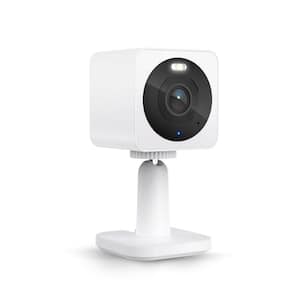
Cam OG, Wired Indoor/Outdoor 1080p HD Smart Home Security Camera with Built-In Spotlight
WYZE Cam OG is the 4th generation of WYZE's flagship camera, WYZE Cam. Like its predecessor WYZE Cam OG lets you see and record 1080p video right from the WYZE mobile app. New to WYZE Cam OG is its waterproof design allowing for outdoor installation with an IP65 rating. WYZE Cam OG also includes our Starlight Sensor which allows for extreme low-light performance and shows great detail in the dark. with WYZE Cam OG's color night viewing, night time video recording appears as if it's day time. Use the integrated spotlight for even better light at night.
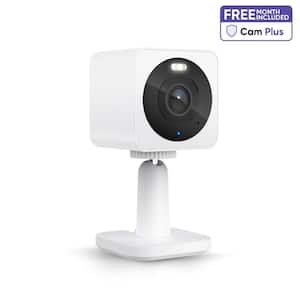
Cam OG with 1M Cam Plus Subscription, Plug-in Indoor/Outdoor 1080p HD Smart Home Security Camera with Built-In Spotlight
Wyze Cam OG is the 4 th generation of Wyze's flagship camera, Wyze Cam. Like its predecessor Wyze Cam OG lets you see and record 1080p video right from the Wyze mobile app. New to Wyze Cam OG is its waterproof design allowing for outdoor installation with an IP65 rating. Wyze Cam OG also includes our Starlight Sensor which allows for extreme low-light performance and shows great detail in the dark. with Wyze Cam OG's color night viewing, night time video recording appears as if it's day time. Use the integrated spotlight for even better light at night.
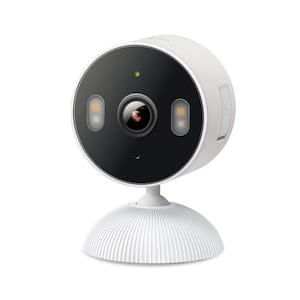
Tapo Indoor/Outdoor Plug-in Security Camera, Color Night Vision, Free AI Detection, 2-Way Audio, Local Storage
Tapo TCW61 provides comprehensive home security complete with advanced features. It delivers instant smart alerts for motion, people, and even baby cries, with smart filtering to minimize false alarms. Designed for both indoor and outdoor use, it boasts IP65 weather resistance. Advanced color night vision ensures clear monitoring, day or night, while the integrated IR system provides up to 40 ft. of night vision. Enjoy seamless control with voice commands through popular smart home platforms like Alexa, Google Assistant, and Samsung SmartThings. Choose from flexible storage options, including local storage on a microSD card or secure cloud storage with Tapo Care for 30 days of video history.
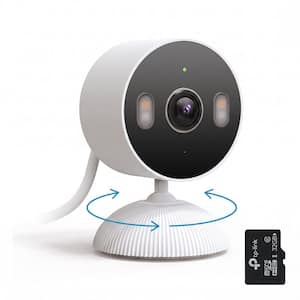
Tapo 2k Indoor/Outdoor Plug-In Security Camera with SD Card 24/7 Capturing, w/Color Night Vision, No Subscription Fees
TCH62 is a versatile, high-definition security solution designed to provide total peace of mind right out of the box, complete with an included 32GB microSD card for immediate local storage. Delivering stunning 2K resolution and a wide 114° field of view, this IP65 weather-resistant camera captures every detail-from license plates to faces-in any environment, using adaptive night vision that switches to full color upon detecting a person. Smart features like 2 -way audio, baby cry detection, and customizable privacy zones offer tailored protection without the burden of monthly fees, while seamless integration with Alexa, Google Assistant, and Bixby ensures your home is always just a voice command away. By combining flexible storage options with a sleek, durable design, the TCH62 blends advanced safety with effortless convenience for the ultimate modern home guardian.