About Your Online Order
Choose Store Pickup or Delivery
 "Free In-Store Pickup in 2 Hours*")
Free In-Store Pickup in 2 Hours*
Online orders filled fast. *Subject to availability. Due to current events and high volume, orders may be delayed.
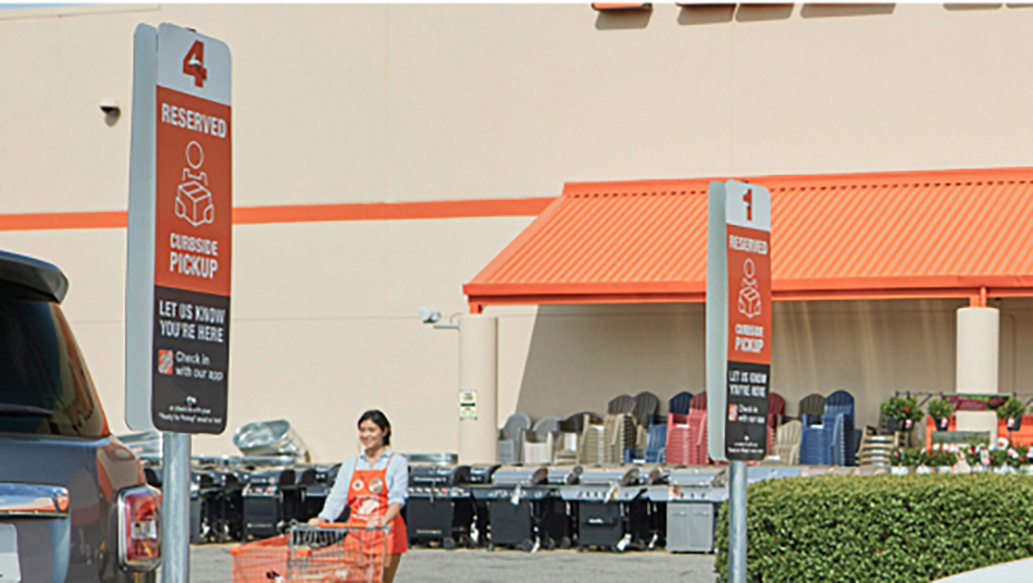 "Free Curbside Pickup")
Free Curbside Pickup
Free Curbside Pickup – Order online for convenient store pickup daily from 9 a.m. to 6 p.m.
;Resize=(703,395.44) "Delivery on Your Schedule*")
Delivery on Your Schedule*
From our store to your door, arriving when it's convenient for you. *Subject to availability

Orders & Deliveries
To view the status of your order, visit your account dashboard or the Track Your Order page.
Your account dashboard will automatically show online orders associated with your account: these orders start with W or C. You can also view in-store orders by manually searching: these orders start with H.
If your order was placed under a different account (or placed while you were not logged into your account), please log out of homedepot.com and use the Track Your Order page. Please note that functionality is limited when using the Track Your Order page.
Find More Answers Online How To Track an Order
Still Have Questions?
If you are unable to view your order status online or need additional help, please contact us by texting “Support” to 38698, chatting with us via the Live Chat button or messaging bubble on the right-hand side of the window, emailing through our Contact Us form, or calling 800-430-3376. Hours of Operation: for texting and chat, we’re available 24 hours a day, 7 days a week. For phone, we’re available 7 days a week, 6am – 2am ET. If chat is unavailable, you can still get help via phone or text.
We understand circumstances change and you may need to cancel your order. You have the option to cancel your order before it’s shipped or before your order is picked up from the store by visiting your account dashboard. Locate the order in question, select Cancel Items and follow the on-screen prompts.
Appliance orders can be canceled up to 72 hours prior to the scheduled delivery date.
Online Customer Support can assist with canceling specific line items and orders involving The Home Depot Gift Cards.
If you’re unable to cancel your items, items may be returned in accordance with our Return Policy.
Find More Answers Online
Still Have Questions? If you need of additional support, please contact us by texting “Support” to 38698. Or with us via the Live Chat button or messaging bubble on the right-hand side of the window. You may also email us through our Contact Us form, or call 800-430-3376. Hours of Operation: for texting and chat, we’re available 24 hours a day, 7 days a week. For phone, we’re available 7 days a week, 6am – 2am ET. If chat is unavailable, you can still get help via phone or text.
Please visit our Return Policy page for details on return periods, return methods, refund timing, return policy exceptions and return FAQs.
To reschedule your Major Appliance delivery, visit your account dashboard, locate the order in question, click Reschedule Delivery, and follow the on-screen prompts.
The option to reschedule Major Appliance orders on Homedepot.com is not available within 48 hours of the scheduled delivery date. To reschedule an order within 48 hours of delivery, please contact us by texting “Support” to 38698, chatting with us via the Live Chat button or messaging bubble on the right-hand side of the window, or calling 800-430-3376. Hours of Operation: For texting and chat, we’re available 24 hours a day, 7 days a week. For phone, we’re available 7 days a week, 6am – 2am ET. If chat is unavailable, you can still get help via phone or text.
Major Appliance orders cannot be rescheduled past 30 days from the original delivery date. Orders that need to be rescheduled past 30 days from the original delivery date must be cancelled and re-ordered.
To cancel an appliance order up to 72 hours prior to the scheduled delivery date, visit your account dashboard, locate the order in question, select Cancel Items, and follow the on-screen prompts.
To cancel your order within 72 hours of the scheduled delivery date, please contact us by texting “Support” to 38698, chatting with us via the Live Chat button or messaging bubble on the right-hand side of the window, or calling 800-430-3376. Hours of Operation: for texting and chat, we’re available 24 hours a day, 7 days a week. For phone, we’re available 7 days a week, 6am – 2am ET. If chat is unavailable, you can still get help via phone or text.
After you finalized your order, you should have seen an Order Confirmation page; if you saw that page, the order was successfully placed.
You will also receive an Order Confirmation email within 5 minutes of your payment being processed; if you received the confirmation email, the order was successfully placed.
Orders you’ve placed will also show in your account dashboard shortly after being placed; if the order is showing in your account dashboard, it was successfully placed.
If you are having trouble locating your order, please contact us by texting “Support” to 38698, chatting with us via the Live Chat button or messaging bubble on the right-hand side of the window, emailing through our Contact Us form, or calling 800-430-3376. Hours of Operation: For texting and chat, we’re available 24 hours a day, 7 days a week. For phone, we’re available 7 days a week, 6am – 2am ET. If chat is unavailable, you can still get help via phone or text.
CONTACT US

Text Us
Text SUPPORT to 38698 to talk to an associate. We're available 24 hours a day, 7 days a week. Message and data rates may apply. Message frequency varies. Reply HELP for help and STOP to stop.
Please see our Terms of Use

Chat With Us
Get help from Magic Apron, our AI-powered virtual assistant, or connect with a live Associate.
Start a conversation by selecting the Magic Apron Icon at the top or bottom of the page. We're ready to help 24 hours a day, 7 days a week.
*Still need help if chat's busy? Call or text us.

Call Us
Online orders: 1-800-430-3376
In-store purchases: 1-800-HOME-DEPOT (466-3337)
Major appliances*: 1-800-455-3869
We're available 7 days a week, 6am - 2am ET
*Major appliances are most appliances eligible for installation services