Product Images
Black Friday
Cam v4 Wi-Fi 2.5K QHD Indoor/Outdoor Plug-In Smart Home Security Camera, Color Night Vision, 2-Way Audio (White)

- New Wyze Cam v4 indoor/outdoor smart security camera 2.5k QHD res
- Fast and easy bluetooth enabled setup, no QR codes required
- Brighten the night w/ 2k color night vision, built in spotlight
- View More Details
Free & Easy Returns In Store
Return this item within 90 days of purchase.
Ask about this product
Get an answer now with AI
Magic Apron Assistant is an AI virtual assistant. By proceeding, you consent to the recording and use of your information by The Home Depot (and authorized third parties). More information
Product Details
About This Product
The best just got better with Wyze Cam v4. Clearer video with 2.5K QHD resolution and Color Night Vision. Enhanced clarity day or night with wide dynamic range. Improved audio for louder and clearer two-way talk. More security features like an integrated, motion-activated spotlight. Place it indoor or outdoor with IP65 weather resistance. Capture every moment with 24/7 recording with MicroSD card. Plus, get advanced features like facial recognition and seamless integrations with your favorite smart assistants. All that at an affordable price means Wyze Cam v4 is the best "never wonder again" smart security camera ever made.
Highlights
- Clear 2.5K QHD Resolution - Capture images and video in greater detail with Quad High Definition clarity.
- Security with Color Night Vision - See important details in color, even at night.
- Enhanced Two-Way Talk - Talk to anyone easily with a more powerful amplifier and updated mic for clearer camera audio.
- 24/7 Local Recording with MicroSD Card* - Don't miss a thing with continuous local recording to a microSD card up to 256 GB. No subscription required.
- Place it Indoor/Outdoor - Wyze Cam v4 operates in any weather due to its IP65 weather-resistant rating.
- Integrated Spotlight + Siren - Deter intruders or light your way home with a motion-activated spotlight. Activate the loud siren for extra "get outta here" power.
- Screw Free Mounting - Put away the power tools. Mounting is easy with a magnetic base and metal mounting plate.
- Easy Setup with Bluetooth - No need to scan QR codes. Enjoy hassle-free setup with Bluetooth, which also presents opportunities to work with other smart home devices.
- Automate with Facial Recognition - Use Wyze Rules to customize personal routines and automate your home.
- Wi-Fi 6 Connection Support - Maintain a stronger and more reliable connection at greater distances. Wi-Fi 6 router required.
- Alexa, Google Assistant, IFTTT Support - Convenience and customization at your fingertips with integrations like Amazon Alexa, Google Assistant, IFTTT, and Wyze Rules.
- *MicroSD cards sold separately.
- Click here for more information on Electronic Recycling Programs
- Return Policy
Product Information
Specifications
Dimensions: H 2.2 in, W 1.97 in, D 1.97 in
Dimensions
Product Depth (in.) | 1.97 in |
|---|---|
Product Height (in.) | 2.2 in |
Product Width (in.) | 1.97 in |
Details
Cable Connection | USB, WiFi |
|---|---|
Camera Connection | Wired Cameras |
Camera Resolution | 2K |
Camera Technology | IP |
Camera Type | Bullet |
Color Family | White |
Color/Finish | White |
Connectivity | Wireless (Wireless Network Transmission) |
Features | 2-Way Intercom Camera, Audio Alert/Siren, Audio Recording, Built-in Speaker, Ceiling Mountable, Day/Night Mode, Microphone, Motion Sensor, Night Vision, Visual Alert, Wall Mountable, Weather Resistant |
Field of View | 130 Degrees |
Image Sensor Type | CMOS |
Included | Cables, Mounting Hardware, Power Cord |
Indoor/Outdoor | Indoor, Outdoor |
IP Rating | Weather Resistant |
Microphone | Two-Way Audio |
Night Vision Distance (ft.) | 30 |
Pack Size | 1 |
Power Source | Plug-in |
Resolution | 4MP (1440p) |
Returnable | 90-Day |
Rotation Direction | Fixed |
Storage Capability | Cloud, SD Card |
Video Signal | HD |
Voltage (V) | 5 V |
Warranty / Certifications
Manufacturer Warranty | 1 Year Warranty |
|---|
Questions & Answers
The customer support email does not work. I need to set up my camera without paying a subscription fee. The instructions tell me to download TAPO, but that does not work unless I pay. How do I set up the camera without paying a subscription fee now that I
Hi there! The Wyze Cam v4 is not compatible with a third-party app. The camera can only be set up via the Wyze app, which is available on Android and iOS. Please note that setting up the camera is free of charge.
You cannot set up a Tapo camera on a wyze app! It’s looking for a set up button to push, which the Tapo product does not have! I’ve spent more time on this than I care to. What is the answer on how to set it up on my iPhone!
Can it be used without wifi connection ?
Thank you for reaching out! Yes, the Wyze Cam v4 can record without Wi-Fi as long as a microSD card is inserted and the camera remains powered. However, a Wi-Fi connection is required to initially set up the camera and schedule recordings. Once configured, it can continue recording locally during Wi-Fi outages. Please note that live viewing and notifications will be unavailable until the connection is restored. If you need further assistance, please reach out to our Wizards team at https://wyzelabs.zendesk.com/hc/en-us. Thank you, and have a great day!
How does it charge
Thank you for reaching out! We’re happy to clarify that the Wyze Cam v4 does not need to be charged. It plugs into a power outlet using the included USB power cable and adapter. We apologize for any confusion and are here to help! If you have other questions, concerns, or would like to speak more about our products, please reach out to our Wizards team ( https://wyzelabs.zendesk.com/hc/en-us ) so we may help. Thank you and have a great day!
Does it have the Motion-Activated Voice Deterrence, "you are being recorded" option?
Yup, it does. And you can setup a time window. However, I think this camera needs a app subscription. Otherwise they don't work
Hi there! Yes, the Wyze Cam v4 supports Motion Warning, including the “You are being recorded” voice alert. To turn Motion Warning on or off: 1. In the Wyze app, tap on your Wyze Cam or video doorbell. 2. Tap on the Settings gear. 3. Tap Detection Settings > Motion Warning. 4. To turn on Motion Warning, tap Wyze Tone or You are being recorded. 5. To turn off Motion Warning, tap None. 6. Tap the back < arrow to save your settings. Please note that the volume of the Motion Warning cannot be adjusted. If you have other questions, concerns, or would like to speak more about our products, please reach out to our Wizards team (https://support.wyze.com/hc/en-us) so we may help. Thank you and have a great day!
Does it come with sd card
Hi there! The Wyze Cam v4 does not come with a microSD card. However, you can add one separately for local recording and storage. If you have other questions, concerns, or would like to speak more about our products, please reach out to our Wizards team (https://support.wyze.com/hc/en-us) so we may help. Thank you and have a great day!
Is thereA monthly charge for service of the camera?
Hi there! The Cam Plus subscription is an optional paid service for the camera. The monthly plan costs $2.99/mo, and $29.99/year for annual.
Does it recorded sound and video all the time
Hi there! Yes, if you have an installed microSD card in the camera, you have the option to set it to record continuously. It will record sound and video.
Are these Wyze cameras have a monthly fee?
No, Wyze Cam v4 does not require a monthly subscription to use the camera or view the live stream. You can also use a microSD card for 24/7 local recording with no subscription required. A Cam Plus subscription is optional and adds features such as cloud event recordings and Smart AI detections. So, you can use the Wyze Cam v4 without paying a monthly fee.
Viewing 1-8 of 137
Customer Reviews
4.2 out of 5
5
1062
4
262
3
170
2
63
1
128
 Customer review from wyze.com
discuss your concerns? If not, could you please send us a message so we can better understand what your concerns are and try to help. Thank you.

 Customer review from homedepot.caCustomer review from wyze.comCustomer review from wyze.com
Customer review from wyze.comCustomer review from wyze.comCustomer review from wyze.com
Loading Recommendations
Related Products

Essential Plug-in Indoor Pan and Tilt Security Camera 2K (3rd Gen) with Dual-Band Wi-Fi,Automatic Motion Tracking, White
Protect your home and family with a wired indoor security camera in crystal-clear 2K resolution. Get alerts when motion is detected, whether it's your child playing or unexpected movement, and watch live video on your phone. Stay connected to the strongest band with Dual-Band WiFi for a seamless experience. See a comprehensive view of every corner of your living space with 360° pan and 180° tilt viewing capabilities. Plus, with Automatic Motion Tracking, you won't miss a thing as your camera follows the action. A 1-Month Arlo Secure plan trial is included. Your trial provides 60-day video history and Smart Detections. See clearly day or night with Night Vision for 24/7 surveillance. Easily set up and mount your camera without the hassle of wiring, and conveniently remove it whenever it's time to adjust. With Arlo, you get peace of mind knowing your loved ones are always within view. Disclaimers: After trial, a paid plan is required to keep premium features like 60-Day Video Cloud Storage, AI-powered features, Smart Detections, 24/7 Emergency Response, and more. Some paid plan features are unavailable on Arlo devices in certain regions and on certain plans. You are responsible for complying with any local laws or regulations that relate to your use of paid plan features. Plans and pricing are subject to change. For current information on features that need a paid subscription, visit arlo.com/arlosecure. Video or Photographs may be altered or simulated.
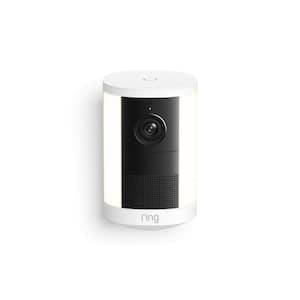
Spotlight Cam 2K, Battery - Security Camera, Retinal 2K Video, 6x Enhanced Zoom, Motion-Activated Spotlights, White
Bring bright, motion-activated lights and crisp Retinal 2K1 video to key spaces all around your property. Easy to power and mount, Spotlight Cam 2K automatically lights up out-of-sight areas and delivers instant alerts when it detects motion. Helping you see what's up and deter intruders at all hours.
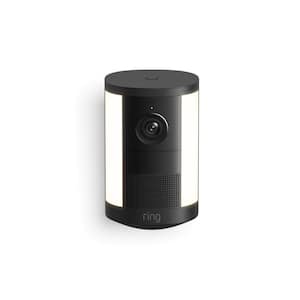
Spotlight Cam 2K, Battery - Security Camera, Retinal 2K Video, 6x Enhanced Zoom, Motion-Activated Spotlights, Black
Bring bright, motion-activated lights and crisp Retinal 2K1 video to key spaces all around your property. Easy to power and mount, Spotlight Cam 2K automatically lights up out-of-sight areas and delivers instant alerts when it detects motion. Helping you see what's up and deter intruders at all hours.
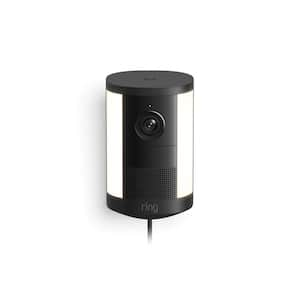
Spotlight Cam 2K, Plug-In - Security Camera, Retinal 2K Video, 6x Enhanced Zoom, Motion-Activated Spotlights, Black
Bring bright, motion-activated lights and crisp Retinal 2K1 video to key spaces all around your property. Easy to power and mount, Spotlight Cam 2K automatically lights up out-of-sight areas and delivers instant alerts when it detects motion. Helping you see what's up and deter intruders at all hours.