Product Images

- Works with Nest thermostats to manage hot and cold spots
- 3-year battery life and option for notifications
- Adjust temperature and set a schedule with Google Home app
- View More Details
Free & Easy Returns In Store
Return this item within 90 days of purchase.
Ask about this product
Get an answer now with AI
Magic Apron Assistant is an AI virtual assistant. By proceeding, you consent to the recording and use of your information by The Home Depot (and authorized third parties). More information
Product Details
About This Product
The right temp in just the right spot - Meet the Nest Temperature Sensor (2nd gen). Now it's easy to manage hot and cold spots throughout your home. Just put it in your preferred room and get the right temp, right where you want it. It's battery powered, so you can set it, then forget it's even there.
Highlights
- It's easy to set up. The Nest Temperature Sensor (2nd gen) is easy to set up in the Google Home app. The battery lasts up to 3 years, so you can put it on a wall, shelf, or wherever you want.
- Coziness, right on schedule. Put the Nest Temperature Sensor (2nd gen) in any room, then set the temperature it should reach at a certain time of day.
- The more the cozier. You can put Nest Temperature Sensors in up to six rooms. Prioritize the temperature of one room, or set an average temperature across rooms like bedrooms.²
- A feel good design. Sleek and simple, the Nest Temperature Sensor (2nd gen) fits right in wherever you place it.
- Approximate battery life based on testing conducted in Taiwan in early 2024 on pre-production hardware and software. Actual battery life may vary. ² Google Home app required. See g.co/nest/tempsensorapp for details. Requires Nest thermostat.
- Requires a compatible, installed Nest thermostat. 2nd Gen Temperature Sensor compatible with Nest Learning Thermostat (4th Gen), Nest Learning Thermostat (3rd Gen), and Nest Thermostat E. Identify your thermostat at g.co/nest/whichthermostat [g.co]. Up to 6 Nest Temperature Sensors supported per connected thermostat and up to 18 sensors per home.
- Shop all Google Nest Thermostats and Google Nest Security Cameras here"
- How to choose the right thermostat for your home"
- Click here to shop for more Google products
- Click here to learn more about Eco Options and Energy Efficiency"
- Click here for more information on Electronic Recycling Programs
- Return Policy
Product Information
Specifications
Dimensions: H 0.8 in, W 1.9 in, D 1.9 in
Dimensions
Product Depth (in.) | 1.9 in |
|---|---|
Product Height (in.) | 0.8 in |
Product Width (in.) | 1.9 in |
Details
Accessory Type | Sensor |
|---|---|
Color Family | Whites |
Pack Size | 3 |
Power Options | Battery |
Remote Access | Remote Access |
Requires Hub? | No Hub Required |
Returnable | 90-Day |
Smart Home | Smart Home Enabled |
Smart Home Protocol | Bluetooth |
Tamper Resistant | Yes |
Voice Control Hub Required | No Voice Control |
Works With | Google Assistant |
Warranty / Certifications
Manufacturer Warranty | 1 Year |
|---|
Questions & Answers
How far does it goes
Great question. The Nest Temperature Sensor communicates with your thermostat using Bluetooth Low Energy, and it typically works well within a range of up to 50 feet, though thick walls or large obstacles between the sensor and your thermostat can affect the distance. Here's a link with more information: https://support.google.com/googlehome/answer/9248154
Can I install a 2gen sensor with 3gen ther
Thanks for asking. The Nest Temperature Sensor (2nd Gen) is compatible with the Google Nest Learning Thermostat (3rd gen and 4th gen). Here's a link with additional information: https://support.google.com/googlehome/answer/9207485
Does the Nest thermostat have to actively control the temperature in the room where a sensor is placed or can the sensor solely provide the temperature of that room without any action by the thermostat?
Great question, David. Yes, with the Nest Temperature Sensor (2nd Gen), you can view the current temperature of any sensor's room directly in the Google Home app without needing the thermostat to actively adjust the temperature for that specific room at that moment. Here’s a link with more details: https://support.google.com/googlehome/answer/9260542
Does it matter what Gen nest thermostat is have are they compatible
Great question. The Nest Temperature Sensor (2nd Gen) is compatible with the Google Nest Thermostat E and Google Nest Learning Thermostat (3rd gen and 4th gen). Here's a link with additional information: https://support.google.com/googlenest/answer/9207485
Can I use this in a refrigerator?
Hi there, Spike. No, the Nest Temperature Sensor (2nd Gen) is not designed for use inside or around any appliances in your home, such as refrigerators, stoves, microwaves or televisions. Here’s an article with more information: https://support.google.com/googlenest/answer/9207485
Do these 2nd gen Nest temp sensors require a thermostat to track/report temperature or can they report directly to the Nest mobile app?
Hi there, bmak. Unfortunately, you can't use a Nest Temperature Sensor without a Nest thermostat. Your temperature sensor reports temperature data directly to a Nest thermostat in the same home. Here’s an article for more information: https://support.google.com/googlenest/answer/9248154
Do these sensors detect motion in the room, or do they strictly measure temperature?
Thanks for your inquiry, Dave. The Nest Temperature Sensor 2nd gen only tracks the temperature — it doesn't pick up on movement.
What are they use for and where are normally pleased in the home?
Great question, Brittney. The Nest Temperature Sensor lets you choose where your thermostat measures the temperature in your home to help keep you comfortable. For example, you might want a temperature sensor if you have a multi-story home. It can help your thermostat keep you comfortable on the floor you choose at any time of day. Here’s a link with more information: https://support.google.com/googlenest/answer/9248154
Viewing 1-8 of 11
Customer Reviews
4 out of 5
5
27
4
4
3
1
2
4
1
6

Loading Recommendations
Related Products
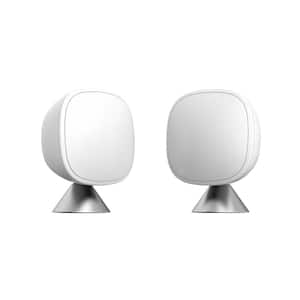
Smart Sensor 2 Pack- Comfort, Security, Energy Savings- Smart Home- Compatible with ecobee Smart Home Thermostats
SmartSensor provides comfort to you and your family in the rooms that matter most. Plus, it saves you energy and money. Through infrared technology, SmartSensor detects when a room is occupied and communicates that information wirelessly to your smart thermostat from up to a range of 60 ft. prompting automatic temperature adjustments for comfort.