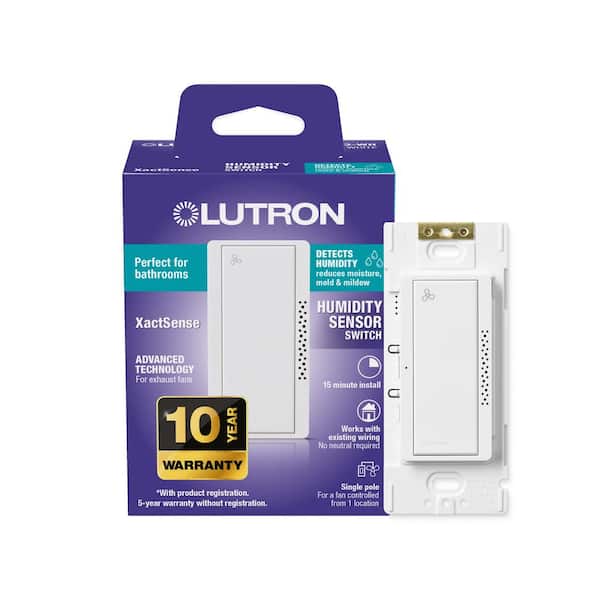
XactSense Humidity Sensor Switch for Bathroom Exhaust Fans, 3 Amp, Single-Pole, White (MS-HS3-WH)

- Humidity sensor turns exhaust fans on when humidity is detected
- Perfect for bathrooms to reduce moisture, mold, & mildew
- Neutral wire optional as only the ground wire is required
- View More Details
Free & Easy Returns In Store or Online
Return this item within 90 days of purchase.
Ask about this product
Get an answer now with AI
Magic Apron Assistant is an AI virtual assistant. By proceeding, you consent to the recording and use of your information by The Home Depot (and authorized third parties). More information
Product Details
About This Product
Reduce moisture, mold and mildew in your bathroom with Lutron's XactSense Humidity Sensor Switch. The precision of the sensor allows for accuracy in responding to changes to humidity, automatically turning fans on and off to ensure your bathroom maintains optimal air quality and comfort. Say goodbye to mold, mildew, and excessive steam as Lutron's XactSense Humidity Sensor Switch helps maintain ideal humidity levels. Enjoy a more comfortable and pleasant bathroom experience by reducing dampness, stuffiness, and humidity. Additionally, save on energy costs with smart humidity control that optimizes your bathroom fan usage, ensuring it runs only when necessary. Compliment other Lutron devices, adding a touch of elegance to your bathroom. Rest assured knowing this sensor meets Title 24 and IECC 2021 standards, helping to meet energy and indoor air quality codes. This humidity sensor seamlessly integrates into any bathroom design. Plus, benefit from Lutron's 24/7 technical support ready to assist you with any questions or concerns. Upgrade your bathroom with Lutron's Humidity Sensor and experience the ultimate in comfort, efficiency, and style. Trust in Lutron's time tested performance and quality to enhance your living space.
Highlights
- PRECISE HUMIDITY CONTROL: Lutron's XactSense Humidity Sensor Switch accurately responds to changes in humidity, automatically turning fans on and off to reduce moisture, mold and mildew
- ADVANCED AND ELEGANT: Blend state-of-the-art technology with sleek, elegant design with Lutron's XactSense Humidity Sensor Switch
- CLEANER AIR: Prevent mold, mildew, and excess steam by maintaining ideal humidity levels, promoting a healthier bathroom environment
- ENHANCED COMFORT: Improved airflow reduces dampness, stuffiness, and humidity for a more comfortable bathroom
- ENERGY EFFICIENT: Save on energy bills by making sure your bathroom fan only runs when needed
- ENERGY CODE COMPLIANT: Meets title 24 and IECC 2021 standards, ensuring it adheres to the latest building codes
- EASY INSTALLATION: Simple, straightforward installation process that fits into decorator-style wall plates upgrade your bathroom fan control in as little as 15 minutes, with no neutral wire required
- VERSATILE DECORATOR DESIGN: Lutron's XactSense Humidity Sensor Switch matches other Lutron devices, allowing for limitless configurations
- SUPPORT YOUR WAY: Lutron provides 24/7 technical support, as well as a step-by-step wiring wizard, installation videos, video assistance, and more
- TECHNICAL DETAILS: Compatible with 3 amp fans, neutral wire is optional
- INCLUDES: 1 XactSense Humidity Sensor Switch, wallplate sold separately
- Click here to learn more about Eco Options and Energy Efficiency
- Click here for more information on Electronic Recycling Programs
- Return Policy
Product Information
Specifications
Details
Brand/Model Compatibility | All Exhaust Ventilation Fans up to 3 Amp |
|---|---|
Pack Size | 1 |
Part/Accessory Type | Upgrade Kit |
Returnable | 90-Day |
Warranty / Certifications
Manufacturer Warranty | 10 Years with Product Registration |
|---|
Questions & Answers
Does this switch have the ability to completely bypass the automatic mode? The DewPoint HS-C00 does not and I don’t want another with the same flaw.
Condensater, Thank you for your interest in Lutron for your fan control needs! The Humidity Sensor Switch is able to override its automatic operation, and there are two ways to accomplish this. Manual Operation: • Double-tap the button to turn the fan on. The fan will remain on until you manually turn it off. While in this mode, the LED will flash instead of remaining solid. This is useful when you want continuous ventilation, such as while cleaning or clearing chemical fumes. • Press and hold the button for one second to turn the fan off. The fan will remain off until you manually press the button to turn it back on. This can be useful if you do not want the fan activating automatically at certain times, such as overnight. (This is especially helpful if the switch is controlling a fan/light combination, although that application is not recommended.) Air Cycle Mode: Another option is to use Air Cycle mode. This setting is designed to circulate stale, stagnant air in areas such as basements or other spaces with poor ventilation. In this mode, the fan will automatically turn on every hour and run for the duration determined by the timeout setting. To learn more about the Humidity Sensor Switch and its available settings, please visit: www.lutron.com/MS-HS3/ If you have any further questions, please feel free to contact our 24/7 Technical Support Team @ 1-888-Lutron1 (588-7661) or email us at support@lutron.com. Amy @ Lutron
When manually turned on will the timer work, or do I have to manually turn off?
Will, Thank you for your interest in Lutron for your lighting and fan control needs. Yes, when you manually turn the fan on with a single button press, it will automatically shut off after the selected timeout period. Please note that there is also a manual override feature. If you double-tap the button to turn the fan on, it will remain on until you manually turn it off. In this mode, the indicator light will blink to let you know that the timer has been overridden. If you have any further questions, please feel free to contact our 24/7 Technical Support Team at 1-888-Lutron1 (588-7661) or email us at support@lutron.com. Amy @ Lutron
I installed this last fall and it works great with my Nutone exhaust fan but I want to upgrade it to a Panasonic with a higher CFM rating and it has a built in humidity sensor. Can I still use this switch with it?
Thank you for your inquiry. We're here to help! We usually do not recommend using devices that can already do what our devices are intended to do as there might be a duplicity in the orders or commands... Please reach out to our Support Team at support@Lutron.com or give us a call at 1-844-LUTRON1 for additional assistance.
I have a single set of romex wires (12-3) running from the wall switch to the exhaust fan/light combo. Will this switch be able to control the fan and light separately or will it need a second set of wires?
Hello! Thank you for reaching out. We recommend installing the Maestro Humidity sensor only on the exhaust fan motor. The Maestro Humidity sensor cannot control a fan and light separately. Although it is rated for both lighting and fan loads, if both are connected to the control, it will turn them ON/OFF together.
Leviton Decora In-Wall What's the difference between Leviton Decora Humidity Sensor and Lutron XactSense? Which one is better?
Yaro, Thank you for your interest in Lutron and for your question! While I’m not able to speak in detail about the Leviton Decora Humidity Sensor, I can highlight what sets the Lutron XactSense apart so you can better compare: Automatically runs your exhaust fan as humidity rises and turns it off when levels return to normal Uses precise sensing technology to detect both gradual humidity changes and sudden spikes (like from a shower) Helps prevent mold and mildew by responding quickly and accurately Saves energy by only running the fan when needed Designed and tested to perform reliably across a wide range of environments Matches Lutron Diva-style controls for a clean, consistent look In general, the biggest differences between humidity sensors come down to how accurately and quickly they detect changes, and how reliably they avoid false triggers. XactSense is specifically engineered to deliver more precise, responsive control compared to typical humidity switches. If you’d like help deciding based on your specific bathroom setup, feel free to reach out to our 24/7 Technical Support Team at 1-888-Lutron1 (588-7661) or support@lutron.com Amy @ Lutron
Can this switch be used with a gfci circuit?
Hello! The MS-HS3 can be installed on the load side of a GFCI. We do not recommend using the MS-HS3 to control the GFCI.
What percent humidity does the switch activate at? at what % does it turn off? Can you program the levels?
JAKJAK, Thank you for your interest in the Lutron Humidity Sensor! This sensor monitors humidity in two different ways, depending on how it is configured: Relative humidity level, with adjustable thresholds at 50%, 60%, 70%, or 80% Humidity spikes, which detect sudden increases in moisture. Spike sensitivity can be set to High, Medium-High, Medium-Low, or Low Yes, all of these settings are adjustable to best match your application. For more detailed setup and configuration information, please refer to the resources below: Installation guide: https://assets.lutron.com/a/documents/0302184.pdf Support site: https://support.lutron.com/us/en/instructions/humidity-sensor-ms-hs3#000006158 If you have any additional questions, our Technical Support Team is available 24/7 at 1-888-Lutron1 (588-7661) or via email at support@lutron.com Amy @ Lutron
Can this be installed with a current row of 4 switches and single cover plate with one switch for the fan or does it require a stand alone electrical box?
All of our in-wall devices are designed to be switch replacements that don't require anything more than a Philips screw driver and a pair of pliers to do the job. If you still have questions or concerns, please give us a call at 1-844-LUTRON1. We're here 24/7, so you can reach out anytime, day or night.
Viewing 1-8 of 19
Customer Reviews
4.5 out of 5
5
69
4
18
3
5
2
1
1
5

Loading Recommendations
Compare Key Features
Product Snapshot | ||
|---|---|---|
Ideal for customers who want precise humidity control, ensuring a healthier, more comfortable bathroom. | Perfect for upgrading your bathroom with an LED light, adding style and functionality with easy 5-minute installation. | Great for homeowners looking for quiet and powerful ventilation, making bathroom odor and moisture removal easier. |
Humidity Sensor | ||
Light Integration | ||
Duct Size Compatibility | ||
7.5 in. x 7.25 in. and 8.25 in. x 8 in. | ||
Motion Sensor | ||
Built-in Heater | ||
Related Products
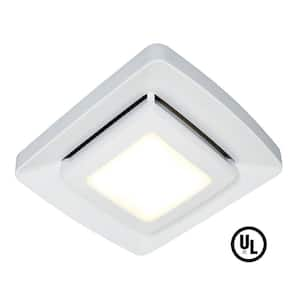
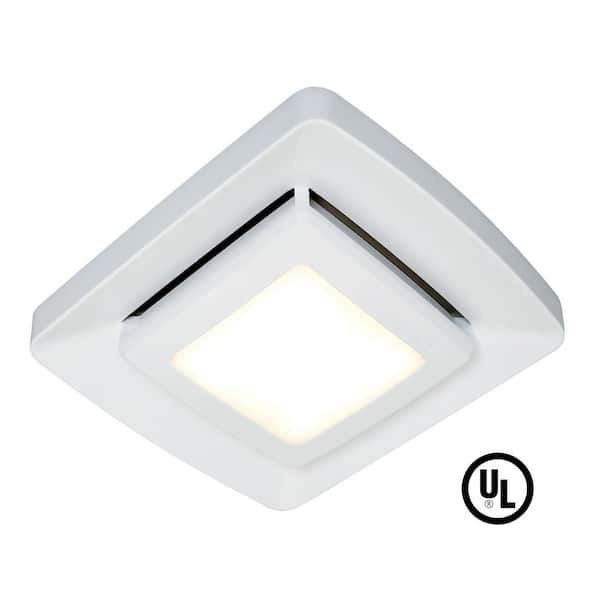
Quick Installation Bathroom Exhaust Fan Replacement Grille/Cover with LED Light
Easily add an LED light to your bath fan with the NuTone LED Cover Upgrade. This efficient LED lighted cover is designed with fewer vent slots, allowing it to stay clean longer. It has a crisp, bright white finish to match today's popular white ceiling paint. Installation can be completed in 5 minutes or less thanks to a quick-connect plug. No wiring is required. This is the perfect 5-minute project for DIY who want to improve the look of their bathroom.
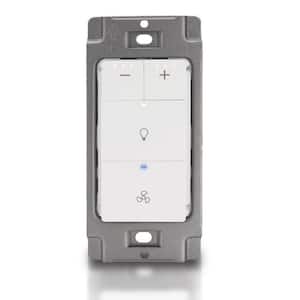
Dimmer Switch for Bathroom Exhaust Fan with Light, Neutral Wire Required, White
Akicon Bathroom Exhaust Fan with Light Switch. Dimmer Light Switch for Bathroom Fan Light Combo. Neutral Wire Required, Dimmer Switch Works with Ventilation Fan, LED Light and Night Light (AK-SW-FLDN).
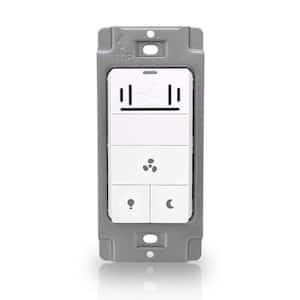
1390 Series Humidity Sensor Switch 5-Function On/Off Switch in White
Akicon Humidity Sensor Switch for Bathroom Exhaust Fan, Ventilation fan. LED Light, Night Light, Air Moisture Control, Timer Switch for Bathroom Fan. cETL Listed, White.
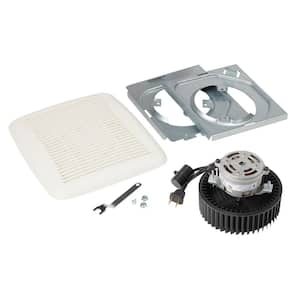
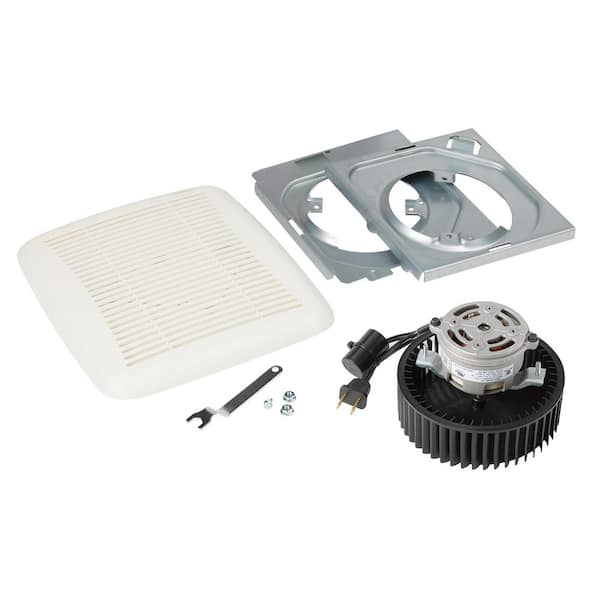
QuicKit 60 CFM 3.0 Sones Bathroom Replacement Motor and Grille/Cover
Refresh your bathroom in less than 10 minutes with the Broan-NuTone QuicKit, replacement motor and cover/grille. This is an easy DIY that does not require wiring, cutting or drywall repair. The QuicKit makes your bath fan up to 50% quieter and delivers up to 20% more power, keeping your air fresh and clean. The QuicKit is an easy, quick answer to a bathroom exhaust fan that is no longer working properly, is noisy or simply needs an upgrade. Included is a replacement cover/grille, pre-assembled motor and blower wheel, (2) motor mounting plates, scroll band, and hardware. This kit contains Genuine Broan-NuTone replacement parts, guaranteed to fit. All parts are designed, tested, and certified to ensure your product runs at peak performance.