Product Images
New
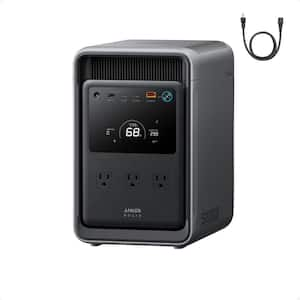
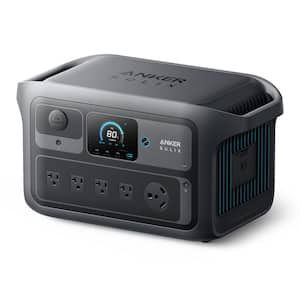
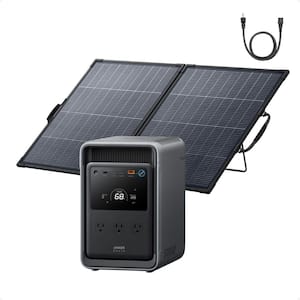
SOLIX C2000X Gen2 2,400W Output 2,048Wh LFP Power Station Push Button Start Solar Generator w/ 200W Bifacial Solar Panel

- 2,400W output and 10 ports to power all your essentials
- Ultra‑efficient 9W only standby, get up to 32hrs of fridge backup
- Bifacial Design, Powerful 25% Efficiency Portabl Solar Panel
- View More Details
Free & Easy Returns In Store or Online
Return this item within 7 days of purchase.
Ask about this product
Get an answer now with AI
Magic Apron Assistant is an AI virtual assistant. By proceeding, you consent to the recording and use of your information by The Home Depot (and authorized third parties). More information
Product Details
About This Product
The Anker SOLIX C2000X Gen 2 and 200W Bifacial Portable Solar Panel Combo delivers a robust 2,048Wh base capacity, expandable up to 4kWh, providing extended power for tools and appliances during outages or projects without interruption. When paired with the Solar Panel, the system quickly recharges using clean energy for continuous operation. Count on reliable performance and long-lasting power for your every project.
Highlights
- Ultra-Efficient Power for Longer Runtime: Reduces standby power loss by just 9W, minimizing energy waste whether in use or on standby, powering a dual-door fridge for up to 64 hours.
- Massive 4,000W Surge Output via 10 ports:Delivers 2,400W rated power with peaks up to 4,000W and 10 ports-easily handling multiple appliances at the same time, including most Essential tools, well pump and air conditioners.
- 6 Ways to Recharge, 58 Min Only to Full:The C2000X Gen 2 revolutionizes convenience with 6 versatile charging methods, including solar panel, AC, gas generator, alternator charger, etc. Get 80% in 45 min, 100% in 58 min when using AC and solar together.
- Recharge On the Go with 800W UltraFast Alternator Charging: With up to 800W output, you can fully charge C2000X Gen 2 in just 3 hours via Anker SOLIX Car Alternator. 8x faster than a standard car socket, and enjoy three flexible charging modes.
- Up to 4kWh Expandable Capacity:Start with 2,048Wh (2.0kWh) and expand to 4,000Wh (4.0kWh) with one add-on battery. That's enough extra power to keep your fridge running for up to 60 hours.
- Reduce Your Yearly Power Bills:Take advantage of TOU rates and solar energy to cut your electricity bill by up to $260 per year-power your home more sustainably while maximizing long-term household savings.
- Light Weight & Compact:At only 41.7 lbs C2000X Gen 2 is 25% lighter than the industry average. It's also 28.8% smaller than similar products with its compact design making it ultra-portable to carry and effortless to store at home.
- Up to 10% More Power with Dual-Sided Output: Harnesses sunlight from both the front and rear surfaces of PS200 bifacial portable solar panel to maximize energy in reflective or open areas such as snow, sand, or concrete.
- 25%+ Conversion Efficiency with Next-Gen Solar Cells: Engineered with advanced N-type solar cells that minimize energy loss while performing in high temperatures-delivering more power, faster, even in demanding conditions.
- What's in the box: Package 1 includes the Anker SOLIX C2000X Gen 2 Portable Power Station, AC charging cable, quick start guide, and the safety and warranty card. Package 2 includes PS200 Bifacial Portable Solar Panel, 2x 8.2 ft (2.5 m) solar charging cable, 1.6 ft (0.5 m) XT60i solar charging cable, quick start guide, and safety card.
- Click here for more information on Electronic Recycling Programs
- Return Policy
Product Information
Specifications
Dimensions
Product Length (in.) | 9.9 in |
|---|---|
Product Width (in.) | 15 in |
Details
Application | Campsite, Emergency Use, Job Site, RV, Tailgating |
|---|---|
Battery Capacity (Wh) | 2048 |
Features | Bluetooth, Built-in Hour Meter, Built-in Remote Monitoring, GFCI Outlet(s), LCD Display, Low Battery Shutdown, On Indicator Light, On/Off Switch, Overload Protection, Short Circuit Protection, USB Port |
Included | Battery, Cord Set |
Number of Panels | 1 |
Number of Receptacles | 10 |
Number of Total Batteries Included | 1 |
Operational Volume (dB) | 30 |
Product Weight (lb.) | 41.67 lb |
Returnable | 7-Day |
Running Wattage | 2400 |
Solar Capability | Solar Capable |
Solar Panel Wattage | 200W |
Start Type | Plug In, Push Button, Remote |
Starting Wattage | 4000 |
Warranty / Certifications
Manufacturer Warranty | 5 years |
|---|
Questions & Answers
Where’s the free SOLIX E10 120V/240V Power Strip? Can’t figure out how to get the free add-on acccessory. Help!
how long will this unit run a 350-watt oxygen concentrator ?
The C2000 Gen 2 has 2000Wh capacity and 2400W rated AC output Yes, it can run your 350-watt oxygen concentrator A simple runtime estimate is: Runtime = 2000Wh / 350 = 5.7h If you have any questions, please do not hesitate to contact us.
Can this power a 40 inch tv? And if yes, for how long?
The C2000 Gen 2 has 2000Wh capacity and 2400W rated AC output Whether it can run all of your devices depends on the total combined power draw of everything connected at the same time. A simple runtime estimate is: Runtime = 2000Wh / total connected wattage If you’d like, you can also send us the model or wattage of your tv, and we’ll be happy to help confirm compatibility. If you have any questions, please do not hesitate to contact us.
Can I charge & use the unit at the same time ?
Yes — the S2000 supports pass-through charging, so you can charge and use the unit at the same time. The S2000 has 2000Wh capacity and 1500W rated AC output As long as your connected devices stay within the supported power range, you can use it while it is charging.
yes u can
When using this unit as a UPS, what are the recommended settings?
The S2000 supports UPS functionality, with a 10ms switching time that is fast enough to keep most sensitive devices such as routers and refrigerators running without interruption during sudden power outages. The S2000's Anker app supports Standard Mode (UPS) as one of the optional power modes. You simply need to select "UPS mode" in the settings; no further configuration is required.
Can you fully charge the battery with one panel? How long does it take to fully charge the battery with one panel? What are the dimensions of the solar panel?
For the S2000, the solar input supports up to 400W total. It is compatible with our S100, PS200 and PS400 You can connect the solar panels using the included MC4-to-XT60 charging cable. If you plan to use multiple panels, we recommend choosing the same model panels. After connecting them in parallel, please make sure the total input stays within the S2000’s supported range: 11–60V DC 12.5A max Total solar input must not exceed 400W If you want the simplest recommendation, the PS400 is a good match for the S2000. It takes approximately 6 to 7 hours to charge the S2000 from 0% to 100%. If you prefer more flexibility or portability, PS100 or PS200 are also compatible options.
How long is the cord from the solar panel to the generator?
Thank you for your interest. The MC4-to-XT-60 charging cable included in the package for connecting the generator to the solar panel is 0.5 meters long. If you have any other questions, please feel free to contact us anytime.
How does the S2000 Handle the Cold weather?
Thank you for your question. For the S2000 portable power station, when it is stored or used at temperatures of 4°C (39°F) or below, the BMS (Battery Management System) may not be able to accurately estimate the remaining battery level and may display 0%. This is considered a normal battery protection behavior. Once the unit is brought back to room temperature, the battery display should return to normal. For this reason, we recommend storing the device in a dry, well-ventilated room-temperature environment whenever possible. For long-term battery care, we would also like to kindly share the following recommendations: - Recharge regularly: Please charge the unit to 100% at least once every 3 months - Avoid charging in low temperatures - Minimize other loads while charging: Try to reduce additional connected devices during the charging process If you have any other questions, please feel free to let us know.
Viewing 1-8 of 24
Customer Reviews
4.8 out of 5
5
39
4
4
3
0
2
1
1
1
We’re very sorry that our level of service did not meet your expectations.
We sincerely apologize that we did not accurately verify the return package information in time and that the refund was not processed promptly. We completely understand how disappointing and frustrating this experience must have been, especially after you had already returned the camera and solar panel and then had to spend additional time contacting the post office to help verify the return.
We truly regret the back-and-forth this has caused and are very sorry for the stress and inconvenience involved.
If you are still willing, please feel free to contact Anker SOLIX Support directly so that we can continue working with you toward a resolution:
Phone: +1 (800) 988-5541
Email: support@ankersolix.com
We’re here to help and would be glad to continue assisting you.

Loading Recommendations
Related Products
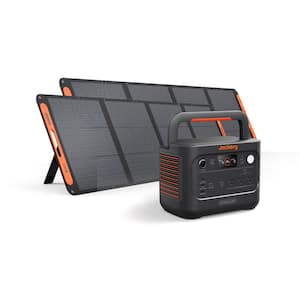
HomePower 1000 v2 1500/3000W Portable Power Station, 1024Wh Solar Generator w/2x200W Solar Panels, Home Backup & Camping
Jackery is the global solar generator expert, trusted by millions worldwide with over 11 years of industry-leading experience. Jackery HomePower 1000v2 is a portable power station designed for household emergency backup and outdoor camping. Optimized in structure, it features smaller size and light weight for easy single-person carrying and storage. It features a 1024Wh capacity and 3000W peak rated power, capable of powering outdoor camping equipment and acting as emergency backup power for homes and offices. The Jackery SolarSaga 200W Solar Panel helps you manually angle your panel for maximum sun exposure so you can get more energy from every ray. Pair it with your compatible Jackery powerstation to reduce your reliance on the grid.
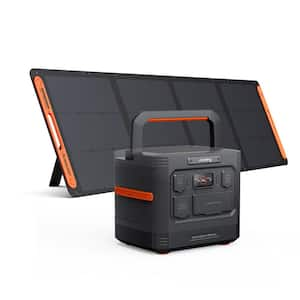
Explorer 1500 Ultra 1800/3600W Portable Power Station, 1536Wh Solar Generator w/200W Panel for Home Backup
The E1500 Ultra, included with a 200W SolarSaga panel, delivers 1800W continuous output and 1536Wh capacity, providing reliable power for high-startup devices with up to 3600W peak output. Multiple ports allow simultaneous charging of tools, appliances, and electronics, while fast AC, vehicle, or solar charging restores power quickly. Built with durable LiFePO₄ cells rated for 4,000 cycles, the E1500 Ultra ensures long-lasting, dependable energy for outdoor adventures, worksites, and emergency backup. The SolarSaga panel features high-efficiency TOPCon monocrystalline cells with a bifacial design, capturing up to 25% of sunlight for extra energy even on partly cloudy days. Designed for all-weather use with IP68 dust and waterproof protection, the panel provides reliable solar charging wherever your adventures take you.
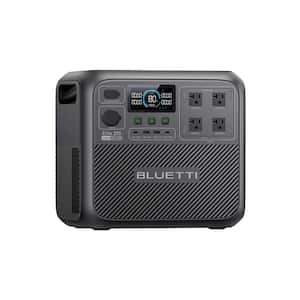
2600W Continuous/3900W Peak Output 2080Wh Portable Power Station, Push Button Start Battery Generator for Emergency Use
This portable energy solution is perfect for mobile lifestyles, RVs, camping, and road trips, providing impressive performance and efficiency. Experience the next-gen design of the Elite 200 V.2, maximizing space utilization and power output. Perfect for powering daily essentials like kettles, electric blankets, and hair dryers-bringing comfort and convenience to your daily life.