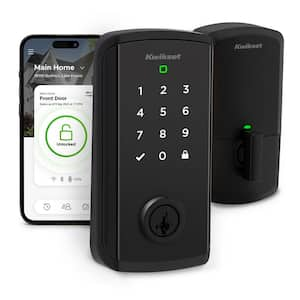
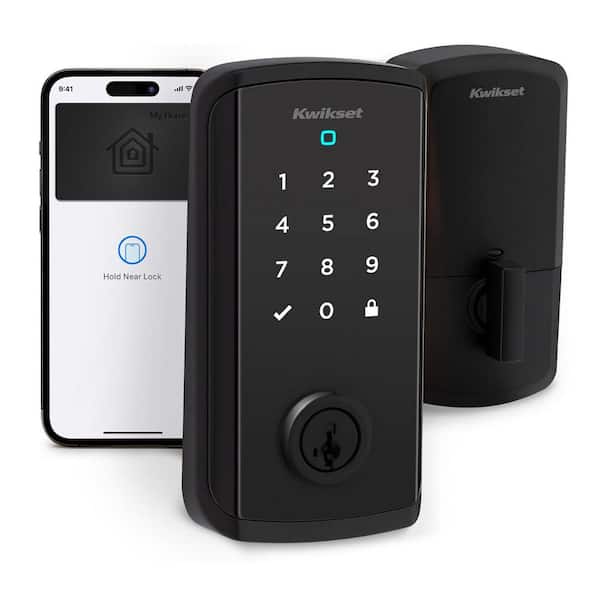
Halo Select Plus Touchscreen Deadbolt Wi-Fi + Matter Smart Lock Apple Home Keys Tap-to-Unlock Technology Matte Black

- Enable intelligent geofencing to unlock as you approach home.
- Receive real-time phone alerts if invalid code attempts occur.
- Easy entry with a tap of your iPhone/Apple Watch.
- View More Details
Free & Easy Returns In Store
Return this item within 90 days of purchase.
Ask about this product
Get an answer now with AI
AI-generated from the text of manufacturer documentation. To verify or get additional information, please contact The Home Depot customer service.
Product Details
About This Product
Meet Halo Select Plus, the smart lock that gives you access control, your way. A simple tap of your iPhone or Apple Watch opens the door. Use the full-featured Kwikset app to lock or unlock your home from anywhere, or choose to add Halo Select Plus to your smart home via Matter for a seamless one-app experience. Keyless entry means you can ditch your keys, for good - unlock your door with the Kwikset app or touchscreen, or let geofence technology unlock the door for you when arriving home. Sharing access with family and trusted guests is simple with the Kwikset app, and real-time notifications gives you peace of mind they've locked up after leaving. Experience total control of your front door: Control your lock with your voice, check the event log any time and receive instant notifications for intrusion attempts. The interactive guided setup makes it easy to get started with Halo Select, and installation only requires a screwdriver. When it comes to security and access control, you can trust Kwikset's 75 years of experience to deliver effortless protection and peace of mind.
Highlights
- Tap to Unlock: With NFC technology and Apple home keys, simply tap to unlock Halo Select Plus using your iPhone or Apple Watch for easy and secure access to your home
- Control and Monitor From Anywhere: Remotely lock and unlock, share guest access and ensure your door is secure using Wi-Fi connectivity (no hub required)
- Smart Home Integration: Works with Amazon Alexa, Apple Home and Google Home. Control your lock with your voice, create helpful automations and manage all your smart devices in one app.
- Convenient Keyless Entry: Enable intelligent geofencing to automatically unlock as you approach your home, unlock using the Kwikset app or enter a code on the touchscreen
- Easy, Secure Guest Access: share up to 250 temporary, scheduled or permanent access codes with family and trusted guests
- Instruction detection: receive real-time phone alerts if invalid code attempts or lock tampering occurs, view the event log with door and lock status for peace of mind
- Matter capable for the future: choose to enable matter connectivity via thread for your future smart home; with regular enhancements your home grows smarter over time
- Simple guided install: Installs in minutes with just a screwdriver. Our interactive installation app walks you through every step with easy-to-follow visuals
- Best-in-Class Security: Enjoy ultimate peace of mind with a third-party tested lock - meets the highest BHMA Grade AAA standards and UL 20-minute fire rating
- SmartKey Security: Kwikset's SmartKey Security protects your lock against advanced break-in techniques and allows you to re-key your lock yourself in seconds
- Return Policy
Product Information
Specifications
Dimensions
Faceplate Height (in.) | 5.4375 in |
|---|---|
Faceplate Width (in.) | 2.84375 in |
Required Door Thickness (in.) | 1-3/8 in to 1-3/4 in |
Details
Battery Type | AAA Battery |
|---|---|
Commercial/Residential | Residential |
Connectivity | Wifi + Matter + Addl Smart Accessibility |
Deadbolt Type | Single Cylinder Deadbolt |
Door Handing | Universal |
Door Lock Style | Modern |
Door Locks & Knobs Product Type | Deadbolts |
Electronic/Mechanical | Electronic |
Features | Adjustable Backset, Alarm, Concealed Screws, Delay Timer, Easy Installation, Geolocation, Indicator Light(s), Kwikset SmartKey, Low Battery Indicator Light, Rekeyable, Voice Assistant |
Finish | Matte Black |
Finish Family | Matte Black |
Hardware Color Family | Black |
Hardware Included | Deadbolt |
Included | Batteries Included, Installation Instructions, Mounting Hardware |
Interior/Exterior | Exterior |
Keyway | KW1 |
Lock Type | Deadbolt |
Material | Zinc |
Number of Batteries Required | 4 |
Power Options | Battery |
Power Source | Battery |
Remote Access | Remote Access |
Requires Hub? | No Hub Required |
Returnable | 90-Day |
Security/ANSI Grade | AAA |
Smart Home | Smart Home Enabled |
Smart Home Protocol | Matter, Thread, Wi-Fi |
Smart Technology | Matter, WiFi |
Total Number of Keys Included | 2 |
Trim | Transitional |
Voice Control Hub Required | No Hub Required for Voice Control |
Works With | Alexa, Apple HomeKit, Google, Google Assistant, Homey, IFTTT, Proprietary App, Samsung SmartThings |
Warranty / Certifications
Manufacturer Warranty | Lifetime Mechanical-Finish, 1 Year Electronics |
|---|
Questions & Answers
Will this be back compatible to UWB through a firmware update or will a new lock need to be purchased?
At this time, Kwikset has not announced that the Halo Select Plus will gain UWB (Ultra Wideband) support through a firmware update. Because UWB requires dedicated radio hardware, a firmware update can only add UWB if that hardware is already built into the lock.
What is the difference between the two models ("+ Addl Smart Accessory")? Is it just the "door ajar" notifications and the tap-to-open functionality?
One of the main differences between the Halo Select and the Halo Select Plus is that the Plus model features Tap‑to‑Unlock with NFC technology and Apple Home Key—allowing you to unlock the door by simply tapping your iPhone or Apple Watch for easy, secure access. Both models connect to the Kwikset app and support Matter for smart home integration, and both also include Door Status Alerts.
Does this have Z=wave?
The Halo Select is a Wi-Fi–enabled smart lock that connects directly to the Kwikset App and supports Matter for smart home integration. However, this model is not Z-Wave compatible. If you’re looking for Z-Wave options, please check out our Home Connect Z-Wave models: Home Connect 620 (Z-Wave LR): https://www.homedepot.com/p/Kwikset-HomeConnect-620-Satin-Nickel-Traditional-Z-Wave-Long-Range-Enabled-Keypad-Smart-Lock-with-Convenient-Keyless-Entry-HC620TRLZW700LR15SMT/335401038 Home Connect 918 (Z-Wave LR): https://www.homedepot.com/p/Kwikset-HomeConnect-918-Matte-Black-Contemporary-Z-Wave-Long-Range-Enabled-Touchscreen-Smart-Lock-with-Convenient-Keyless-Entry-918-CNT-ZW700-514-SMT-BP/334457020
What are the additional smart accessability
The Halo Select Plus can be controlled and monitored from anywhere using the Kwikset App. It is Matter‑compatible and works with Amazon Alexa, Apple Home, and Google Home. Additional features include Tap to Unlock with an iPhone or Apple Watch, geofencing, and easy guest and admin access through the app. Learn more here: https://www.kwikset.com/products/detail/halo-select-plus-touchscreen-wi-fi-and-matter-enabled-smart-lock-with-apple-home-keys
Can you unlock the door with geo fence with an android phone
Yes, the Halo connects to the Kwikset App to work with both Android and Apple devices. The Kwikset App features Auto‑Unlock and Auto‑Lock based on distance (geofencing).
I'm used to it opening with the gear knob horizontal. Can it be changed?
Our electronic locks are designed with an interior turn-piece that remains vertical when the deadbolt is locked and horizontal when it is unlocked. We understand this may differ from your other lock, but this orientation is fixed and cannot be adjusted.
How long will the batteries last? I have an older model and batteries last less than a week
A fresh set of batteries will last up to 6 months, depending on usage.
Do all electronic do or locks run off batteries
The Halo works with 4 AA alkaline batteries. If the batteries lose power, you can still use the physical key or interior turnpiece to lock/unlock the deadbolt.
Viewing 1-8 of 22
Customer Reviews
4.1 out of 5
5
65
4
10
3
5
2
5
1
14
We’re here to help! To ensure optimal performance, please make sure your lock has a strong and reliable Wi‑Fi connection to your router, as weak or unstable signals can affect connectivity and functionality.
For better Wi‑Fi coverage throughout your home—especially in areas farther from the router—we recommend considering a mesh Wi‑Fi system. And for helpful tips on troubleshooting your Wi‑Fi connection, please visit:
https://www.kwikset.com/support/answers/how-can-i-troubleshoot-the-wi-fi-connection-of-my-halo-smart-lock
If you need further assistance with your lock, our Support Team is happy to help. You can reach us directly at 1‑800‑327‑LOCK (5625).
Thank you,
Kwikset

 Customer review from kwikset.comCustomer review from kwikset.comCustomer review from kwikset.comCustomer review from kwikset.comCustomer review from kwikset.comCustomer review from kwikset.comCustomer review from kwikset.com
Loading Recommendations
Compare Key Features
Product Snapshot | |||
|---|---|---|---|
Ideal for homeowners wanting Wi-Fi smart lock with Apple Home Keys and voice control. | Great for homeowners looking for keyless entry, making home access easier and more efficient. | Ideal for tech-savvy homeowners seeking enhanced security and convenience with keyless entry, fingerprint access, and a built-in video doorbell. | Ideal for tech-savvy homeowners looking for 2K video doorbell smart lock, ensuring enhanced security and convenience. |
Connectivity | |||
Integration with Smart Home Systems | |||
Auto-Locking Feature | |||
Fingerprint Access | |||
Keypad Type | |||
Touchscreen | Touchscreen | Touchscreen | Touchscreen |
Related Products
HALO Matte Black Touchscreen WiFi Keypad Electronic Single-Cylinder Smart Lock Deadbolt featuring SmartKey Security
HALO Wi-Fi Smart Lock is a keyless entry electronic deadbolt featuring SmartKey Security that allows you to control the lock from anywhere there's an internet connection--no smart hub or bridge required! Using the Kwikset App, you can lock/unlock the deadbolt, program up to 250 user access codes, and receive notifications of your lock's use. This single cylinder deadbolt can be locked or unlocked by using the keypad or key from the outside as well as the turn button from the inside. The crisp, clean appearance of the Satin Nickel finish adds to the overall look of the product and brings a modern feel. Complete your entryway refresh with a matching Kwikset door lever or handleset
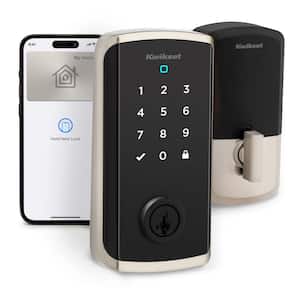
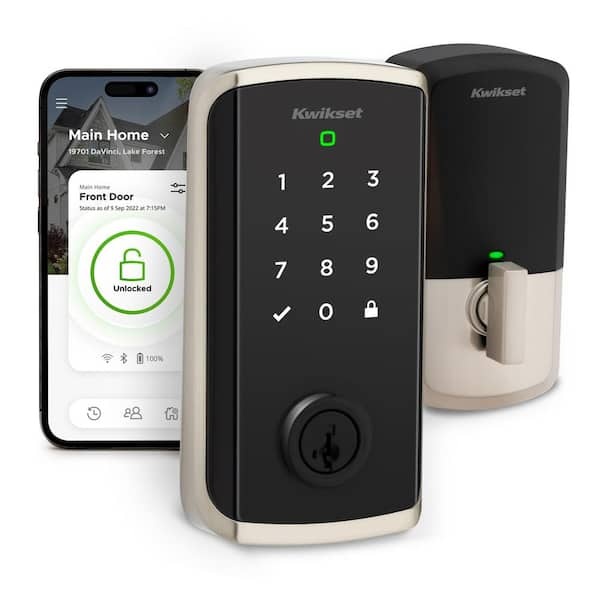
Halo Select Plus Touchscreen Deadbolt Wi-Fi + Matter Smart Lock Apple Home Keys Tap-to-Unlock Technology Satin Nickel
Meet Halo Select Plus, the smart lock that gives you access control, your way. A simple tap of your iPhone or Apple Watch opens the door. Use the full-featured Kwikset app to lock or unlock your home from anywhere, or choose to add Halo Select Plus to your smart home via Matter for a seamless one-app experience. Keyless entry means you can ditch your keys, for good - unlock your door with the Kwikset app or touchscreen, or let geofence technology unlock the door for you when arriving home. Sharing access with family and trusted guests is simple with the Kwikset app, and real-time notifications gives you peace of mind they've locked up after leaving. Experience total control of your front door: Control your lock with your voice, check the event log any time and receive instant notifications for intrusion attempts. The interactive guided setup makes it easy to get started with Halo Select, and installation only requires a screwdriver. When it comes to security and access control, you can trust Kwikset's 75 years of experience to deliver effortless protection and peace of mind.
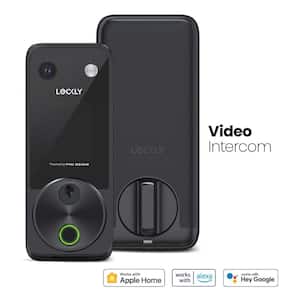
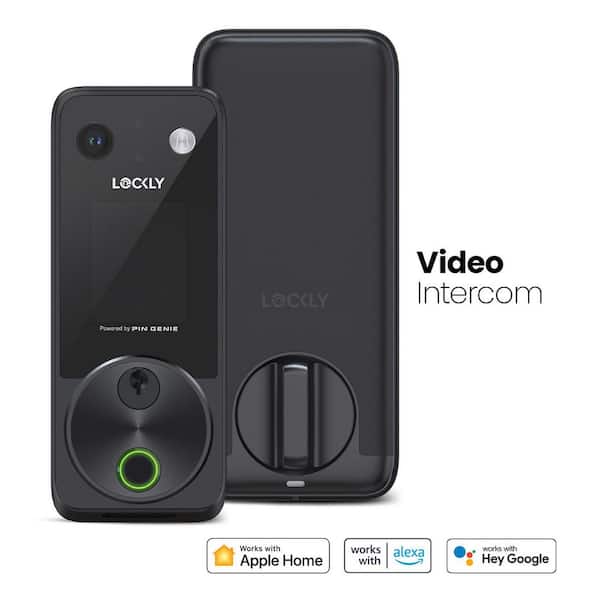
Vision 2K Video Zeno Matte Black Deadbolt Wi-Fi Doorbell Smart Lock,Home Key,Night Vision,Fingerprint, Siri/Alexa/Google
The Vision Zeno Series integrates advanced smart lock technology with a built-in 2K video doorbell, offering unmatched convenience and security. Monitor your door day and night with live 2K video streaming directly to your phone, anytime, anywhere. Recordings are stored securely and privately on a local device-no subscription required. Additional features include ultra-fast fingerprint access, Apple Home Key compatibility, doorbell call button, and real-time two-way voice interaction for seamless access and monitoring. Crafted from premium materials, the Vision Zeno Series delivers the best in security and design.
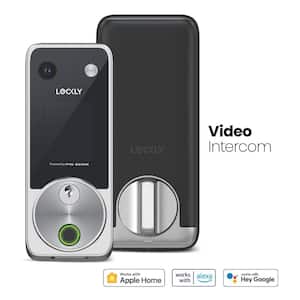
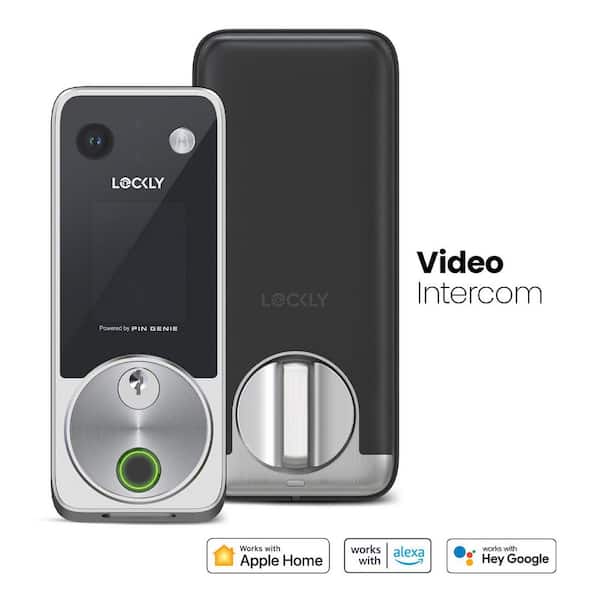
Vision 2K Video Zeno Satin Nickel Deadbolt Wifi Doorbell Smart Lock,Home Key,Night Vision,Fingerprint, Siri/Alexa/Google
The Vision Zeno Series integrates advanced smart lock technology with a built-in 2K video doorbell, offering unmatched convenience and security. Monitor your door day and night with live 2K video streaming directly to your phone, anytime, anywhere. Recordings are stored securely and privately on a local device-no subscription required. Additional features include ultra-fast fingerprint access, Apple Home Key compatibility, doorbell call button, and real-time two-way voice interaction for seamless access and monitoring. Crafted from premium materials, the Vision Zeno Series delivers the best in security and design.