Product Images
Exclusive
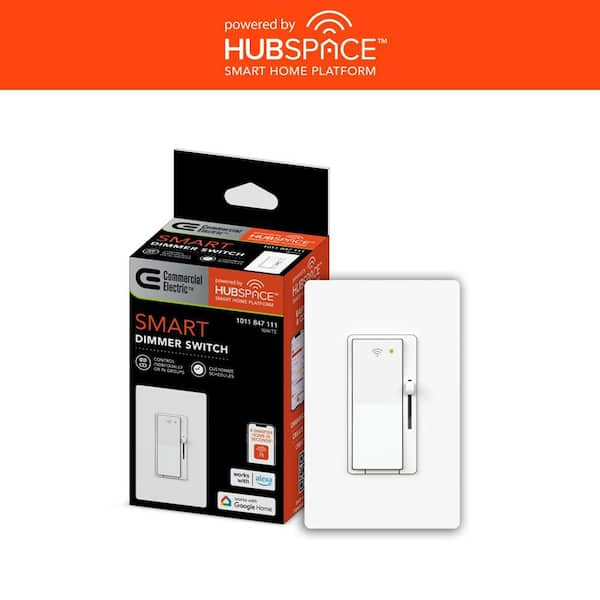
White Smart Paddle Dimmer for CFL, Halogen, Incandescent, LED, 1-Pack Powered by Hubspace
- Setup in under 60 seconds using the Hubspace app
- Easy installation with terminal connectors, neutral wire required
- Independently tested/certified to meet strict safety standards
- View More Details
Free & Easy Returns In Store
Return this item within 90 days of purchase.
Ask about this product
Get an answer now with AI
Magic Apron Assistant is an AI virtual assistant. By proceeding, you consent to the recording and use of your information by The Home Depot (and authorized third parties). More information
Product Details
About This Product
The Commercial Electric Smart Hubspace Paddle Dimmer with Slider Light Switch with Wi-Fi and Bluetooth Technology allows you to control your lights via app from wherever you are. No hub required and compatible with Amazon Alexa and Google assistant that allows you to use your voice to turn on or off. You can also pre-set on/off schedules via the Hubspace app for Android or iPhone. The smart Paddle Dimmer installs as easily as a traditional light switch, and it works in a single-pole setup only and requires a neutral wire to power the smart light switch.
Highlights
- Easy and precise dimming: the slider provides easy and precise control from the wall preset allows you to turn your lights on to your preferred predetermined level
- Set schedules to turn light switch automatically on or off via the hubspace app so you can save energy and money
- Connect to a compatible voice assistant amazon alexa or google assistant for hands-free voice control
- Wireless control via your existing wi-fi network or bluetooth (bluetooth control when your wi-fi is not set up or your network is down)
- Max load: CFL/LED: 150-Watt and incandescent/halogen: 600-Watt
- ETL Listed to show compliance with rigorous safety standards to prevent shock, fire and mechanical hazards
- Hubspace FAQ
- Shop more Hubspace smart home products here
- Click here for more information on Electronic Recycling Programs
- Return Policy
Product Information
Specifications
Dimensions: H 4.11 in, W 1.71 in, D 1.71 in
Dimensions
Product Depth (in.) | 1.71 in |
|---|---|
Product Height (in.) | 4.11 in |
Product Width (in.) | 1.71 in |
Details
Amperage (A) | 5 A |
|---|---|
Circuit Connection | Single Pole |
Color Family | White |
Color/Finish | White |
Compatible Bulb Type | CFL, Halogen, Incandescent, LED |
Control Function | Light |
Control Style | Push Button |
Dimmable Capability | Dimmable |
Features | Programmable |
Finish Type | Matte |
Material | Polycarbonate |
Package Quantity | 1 |
Power Options | Hardwired |
Remote Access | Remote Access |
Requires Hub? | No Hub Required |
Returnable | 90-Day |
Smart Home | Smart Home Enabled |
Smart Home Protocol | Bluetooth, Wi-Fi |
Voice Control Hub Required | No Hub Required for Voice Control |
Voltage (V) | 120 V |
Wall Plate Included | With Wall Plate |
Wattage (W) | 150 W |
Works With | Alexa, Google, Google Assistant, Hubspace |
Warranty / Certifications
Certifications and Listings | ETL Listed, FCC Listed, FCC Listed |
|---|---|
Manufacturer Warranty | 1 year |
Questions & Answers
Will this switch change the color on "1-Pack 1 ft. x 4 ft. 4000 Lumens Dimmable Integrated LED Flat Panel Ceiling Flush Mount Fixture with Selectable 5CCT" Store SKU # 1009154312?
No, the Hubspace Smart Paddle Dimmer will not dynamically change the color temperatures on that specific flat panel fixture (Store SKU #1009154312). While both the dimmer switch and various flat panels are part of the Hubspace ecosystem, the Commercial Electric 1x4 Flat Panel you mentioned is a locally controlled 5CCT model rather than an app-connected smart panel. Here is exactly how these two products work together: • What the Switch CAN Do: The Hubspace Smart Paddle Dimmer will provide full-range dimming control (on/off and brightness adjustments) for this panel via the physical paddle, the Hubspace app, or voice commands. • How the Panel's Color Changes: The color temperature (3000K–6500K) on this fixture is controlled manually by a physical toggle switch located directly on the unit. However, if you set that physical toggle to the "SWITCH" setting during installation, you can cycle through the 5 colors simply by toggling a standard light switch (or the smart switch) on and off in rapid succession. If your goal is to smoothly change light colors, fine-tune color temperatures, or explore full RGB color palettes directly inside the Hubspace smartphone app without flipping switches, you will need a smart-integrated panel instead. We recommend checking out the Commercial Electric 1 ft. x 4 ft. Smart Color Selectable RGBW Hubspace Flat Panel (Store SKU #1009543110) which pairs seamlessly with your smart dimmer! If you need any assistance updating your configuration or have more compatibility questions, please feel free to reach out to us at customerservice@leedarson.com.
What is the current firmware version and is there a way to force the install? I’d like to utilize this switch to control a group of lights but that option is not available and I can’t find any instructions or walk throughs online anywhere.
Thank you for your review. The "Hubspace Connect" grouping feature requires a firmware update, which will unlock the ability for your Commercial Electric Smart Paddle Dimmer Switch to wirelessly control a group of smart lights. Out of the box, the switch often runs an initial factory firmware (such as version 1.0.29) and will automatically prompt an update once connected. While there isn’t a manual "force install" button, you can trigger the over-the-air (OTA) update system cleanly using these steps:How to Trigger the Firmware UpdateOpen the Hubspace App and select your smart paddle dimmer switch from the dashboard. Tap the Settings (Gear Icon) in the top right corner of the device control screen.Scroll down and select About or Device Info.If your switch detects a newer version, a red notification dot or an update prompt will appear next to the firmware line. Tap it to start the installation.Note: Ensure your mobile phone remains close to the switch with Bluetooth enabled, and do not turn off the wall switch or your Wi-Fi network during this process. Return to the main Home tab in the Hubspace app.Tap the "+" (Plus Sign) in the upper right-hand corner. Select Create Group from the drop-down menu. Name your new group (e.g., "Kitchen Downlights") and check the boxes next to your smart switch and all the smart lights you want it to control simultaneously. Tap Save/Create. If the firmware update prompt does not appear in your app after a few minutes, please contact the dedicated Hubspace Customer Support Team at 1-877-592-5233 so a technician can manually push the latest firmware bundle directly to your account profile.
Which 4” led recessed light are these compatable with?
Thank you for your question regarding our White Smart Paddle Dimmer Powered by Hubspace (Model HPDA110NWBP). The critical rule to remember for this configuration is: The Hubspace Smart Paddle Dimmer is compatible with standard, traditional (non-smart) dimmable LED recessed lights, but it is strictly NOT compatible with Hubspace Smart recessed lights.1. Compatible 4-Inch LED Recessed Lights (Non-Smart)This wall dimmer is engineered to turn a "dumb" light fixture into a smart one. It works perfectly with any standard, hardwired 4-inch LED recessed light or canless downlight kit that explicitly states it is "Dimmable" via traditional forward-phase (TRIAC) wall dimmers. This includes standard EcoSmart or Commercial Electric dimmable recessed downlights. When paired with traditional lights, the switch will successfully: Regulate brightness manually or via the Hubspace app. Execute automated on/off scheduling and timers.2. Incompatible 4-Inch LED Recessed Lights (Hubspace Smart Lights)You cannot install this physical wall dimmer on a circuit controlling Hubspace Smart Recessed Lights (such as our Smart RGB+ Color Changing or Smart Tunable White canless kits).Smart downlights feature their own internal computer chips and wireless radios that require continuous, unaltering 120V power. Altering the voltage via a wall dimmer will starve the smart light's internal receiver, causing it to flicker, fail, or drop off your Wi-Fi network entirely. Smart downlights must be wired to a standard on/off switch and dimmed exclusively through the Hubspace App or voice commands. If you would like help verifying if your specific 4-inch recessed light model is standard-dimmable, please reach out to us at customerservice@leedarson.com with your light's model number.
Can you manually control your outdoor water feature, turn on/off vs via the Hubspace app
This dimmer is meant to control lighting fixatures only.
I have 2 dimmer switches installed, 1 to the light and 1 has power constantly but no load connected. How do you pair the one with no load to make it a 3 way switch? Current firmware is 1.0.15
Hi please upgrade the firmware to V1.0.29, and follow the Hubspace APP Hubspace connect instruction to connect 2 dimmers.
Can you send exact instructions for 3 way wiring? Or give me a place to find the instructions. I tried calling and no one had any info.
Please contact us at customerservice@leedarson.com for assistance.
This is not a 3way switch...
Can I use the dimmer to wirelessly dim other hubspace lights (without having to directly connect those lights to the load side of the switch?) I want to have NB36a6INRGB-W recessed lights 'always on' (avoid physical switching), but dimmable from the wall.
Yes.
Does this switch need a load to function? There is no traveler to the light I am trying to control. I am using the dimmer switch to control a commercial electric smart bulb.
No, it does not need a load to function.
Viewing 1-8 of 33
Customer Reviews
4.3 out of 5
5
74
4
16
3
4
2
3
1
10
 Customer review from influenster.com
Loading Recommendations
Compare Key Features
Product Snapshot | |||
|---|---|---|---|
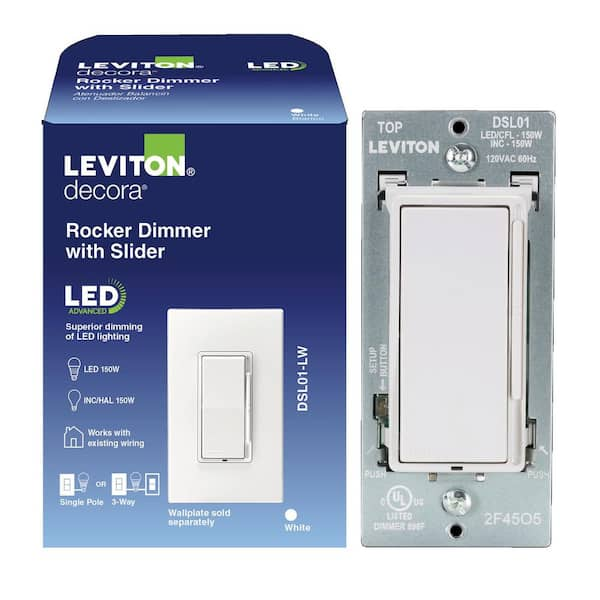
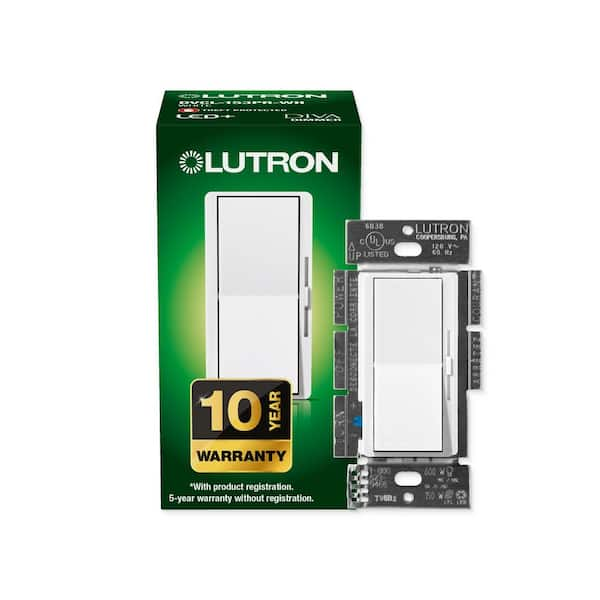
Perfect for upgrading your home with smart lighting, adding style and functionality. Control your lights with your voice or remotely via the Hubspace app. | Perfect for upgrading your home with advanced dimming, adding style and multi-location functionality. | Great for homeowners looking for wireless 3-way dimming, making lighting control easier and more efficient. | Great for homeowners looking for optimal dimming performance, making lighting control easier and more efficient. |
Type of Dimmer switch | |||
Slide | Rocker, Slide | Rocker | Rocker, Slider |
Compatibility with Smart Home Systems | |||
Multi-location Control | |||
Touch Sensitivity | |||
Remote Control | |||

Related Products

Decora Smart Anywhere Wire-Free 3-Way Dimmer Companion Light Switch for Decora Smart Wi-Fi Dimmers, White, DAWDC-1RW
Wire-free 3-way solution - wirelessly add on/off and dim/bright control where you need it such as at the base of a staircase or end of a hallway. Use included adhesive or wall box screws to mount on the wall or at the electrical wall box within a 50 ft. range of the primary Decora Smart Dimmers (Decora Smart dimmer required and sold separately). Add on/off and dim/bright control of connected table, floor and hanging lamps or wirelessly add a 3-way/multi-location - no wiring required.
SureSlide Dimmer Switch for Dimmable LED, Halogen and Incandescent Bulbs - White 6672-1LW
Replacing a wall light switch with a dimmer switch is an easy way to create a big impact for a minimal cost. Using a dimmer switch makes it easy to customize the light level in any room, for any occasion and in any home, whether you are entertaining, reading or watching the latest flick, the right lighting creates the perfect ambiance. The Leviton Decora SureSlide dimmer switch provides smooth, slide-action and full-range dimming for dimmable LED, incandescent, and halogen bulbs. Slide the integrated slide bar up to turn On and increase light level, slide down to dim and turn Off. 150W-120VAC dimmable LED/CFL, 600W-120VAC incandescent/halogen, 60Hz, single pole installation. Use with Decora wallplate or Decora Plus Screwless Wallplate sold separately.
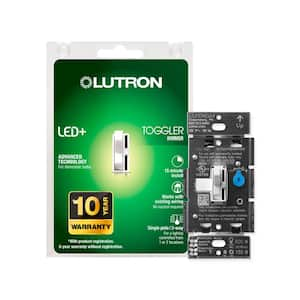
Toggler LED+ Dimmer Switch for Dimmable LED and Incandescent Bulbs, 150W LED/Single-Pole or 3-Way, White (TGCL-153PH-WH)
The Toggler LED+ dimmer switch provides optimal dimming performance of LED bulbs. This dimmer switch works with up to 150-Watt of dimmable LED/CFL or 600-Watt of incandescent/halogen, allowing you to control multiple bulb types on the same circuit. It is designed to control a broad range of dimmable LED and CFL bulbs from a variety of brands including Philips, Cree, GE, EcoSmart and Lighting Science. The Toggler dimmer switch features a toggle switch to turn your lights off or on returning the lights to your favorite level. Adjust your light to any activity using the discreet slide control next to the switch. Coordinating wall plate sold separately.
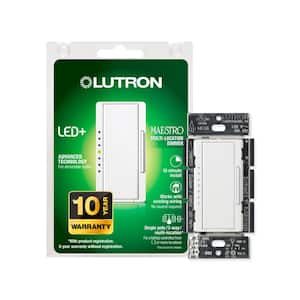
Maestro LED+ Dimmer Switch for Dimmable LED Bulbs, 150W/Single-Pole or Multi-Location, White (MACL-153MH-WH)
The Maestro LED+ dimmer switch provides optimal dimming performance of LED bulbs. This dimmer switch works with up to 150-Watt of dimmable LED/CFL or 600-Watt of incandescent/halogen, allowing you to control multiple bulb types on the same circuit. It is designed to control a broad range of dimmable LED and CFL bulbs from a variety of brands including Philips, Cree, GE, EcoSmart and Lighting Science. Use the rocker to adjust the light level for any activity or set the preset level to ensure lights always turn on to your desired light level. Advanced features include delayed fade to off, which allows time to exit a room or to get into bed before the lights turn off. Coordinating Claro wall plate sold separately.