Product Images
Top Rated
15 Amp 7-Day Indoor In-Wall Astronomic Digital Timer, White

- Versatile 7-day programmable schedules with upto 40 ON/OFF events
- View More Details
Free & Easy Returns In Store
Return this item within 90 days of purchase.
Ask about this product
Get an answer now with AI
Magic Apron Assistant is an AI virtual assistant. By proceeding, you consent to the recording and use of your information by The Home Depot (and authorized third parties). More information
Product Details
About This Product
The ST01 7-Day Programmable In-Wall Timer from Intermatic is a heavy-duty 15 Amp lighting control that can be installed in both residential and light commercial applications. Users can program up 40 ON/OFF events each week to automate routine lighting schedules and improve energy efficiency within the home. The ST01 simplifies everyday use with a convenient Astronomic feature, which allows homeowners to automatically set ON and OFF times throughout the year based on geographic dusk and dawn patterns. Similarly, the in-wall timer includes an automatic Daylight Saving Time (DST) adjustment feature, which keeps schedules in sync as the seasons change without requiring additional maintenance. Perfect for entryways, garages, landscape lights, attic fans and more, the ST01 In-Wall Timer offers an easy-to-use interface that makes programming schedules simple for homeowners of all technology backgrounds. The control can be installed in either a single or 3-way switch configuration, as well as paired with a variety of lights, including incandescent, fluorescent, CFL and LED. No neutral is required, making the ST01 an ideal retrofit solution.
Highlights
- Versatile 7-day programmable schedules with up to 40 ON/OFF events
- Astronomic clock feature determines dawn and dusk times
- Automatic Daylight Saving Time (DST) adjustment
- Random mode varies ON/OFF schedule to provide a "lived-in" appearance
- Single or 3-way switch compatible installation
- Incandescent/fluorescent/CFL/LED compatible
- Isolated switch allows timer to be used with any load type, including AC and DC loads
- Replaceable CR2 lithium battery provides up to three years of operation
- No neutral wire connection enables easy retrofitting and quicker installation
- Decorator switch plate not included
- Click here for more information on Electronic Recycling Programs
- Return Policy
- California residentssee Prop 65 WARNINGS
Product Information
Specifications
Dimensions: H 4.125 in, W 1.75 in, D 1.813 in
Dimensions
Product Depth (in.) | 1.813 in |
|---|---|
Product Height (in.) | 4.125 in |
Product Width (in.) | 1.75 in |
Details
Amperage (A) | 15 A |
|---|---|
Circuit Connection | Single Pole |
Color Family | White |
Color/Finish | White/Plastic |
Compatible Bulb Type | CFL, Incandescent, LED |
Control Function | Timer |
Control Style | Push Button |
Features | Combo Switch, Programmable |
Finish Type | Gloss |
Material | Polycarbonate |
Maximum Time Setting (Min.) | 1440 |
Package Quantity | 1 |
Returnable | 90-Day |
Timer Type | Astronomic |
Voltage (V) | 120 V |
Wall Plate Included | No Wall Plate |
Wattage (W) | 3 W |
Warranty / Certifications
Certifications and Listings | Title 20, cULus Listed |
|---|---|
Manufacturer Warranty | 1-year limited |
Questions & Answers
Will this timer work an on/off panel that has 3 on/off switches for outdoor lights
Hello William, The timer has 1 output so all the switches will receive power at the same time. These would also need to be all on the same breaker. If any switches need to be timed separately or on different breakers that switch would need their own individual timer. Thank you Intermatic Tech Support
Does it fit in a double wall fixture
Hello. This is Zach with Intermatic Technical Support. We appreciate your inquiry. Yes this unit should have no issue fitting inside of a standard double gang wall box. If you have any other questions, you can call us at 815-675-7000 or email us at techsupport@intermatic.com.
Do these work in a garage?
Hello. This is Zach with Intermatic Technical Support. We appreciate your inquiry. This is an indoor rated timer only. When installing in an enclosed garage it will be protected from the elements, however it is still susceptible to any temperatures outside of the rated temperature range which would be 32F - 104F. If you have any other questions, you can call us at 815-675-7000 or email us at techsupport@intermatic.com.
Is this timer work with 277volt?
Hello. This is Zach with Intermatic Technical Support. We appreciate your inquiry. Yes this timer is designed to work with an input voltage range of 120-277 VAC, 50/60 Hz. If you have any other questions, you can call us at 815-675-7000 or email us at techsupport@intermatic.com.
How to adjust the time
Hello. This is Zach with Intermatic Technical Support. We appreciate your inquiry. To change the current time on this unit you would press the MODE button until you see SETUP at the bottom of the screen. Once there you would tap the ON/OFF button to cycle through the setup screen. The first item that appears should be the hour and the +/- buttons can be used to adjust the current hour. Once complete hit the ON/OFF button again to cycle to the minutes and repeat the process. Afterwards you would continue to hit the ON/OFF button to cycle through all the the settings until you are back to seeing SETUP at the bottom of the screen. At this point you would hit the MODE button until you see AUTO again. If you would like a copy of the instructions for your unit you can find them at www.intermatic.com by searching your model number (ST01) and looking under the "Documents & Downloads" section. If you have any other questions, you can call us at 815-675-7000 or email us at techsupport@intermatic.com.
Does this ST01 3 way switch include the ground wire and the jumper wire
Hello, This is Bruce with Intermatic Technical Support. We appreciate your inquiry. Yes, the unit will include the jumper wire and will have a ground wire attached to the unit itself. If you have any other questions, you can call us at 815-675-7000 or email us at techsupport@intermatic.com.
So the green wire will be connected to the white wire from the electrical source
Hello, This is Bruce with Intermatic Technical Support. We appreciate your inquiry. The green wire will get connected to your ground and for this timer the white is not used as long as it is your neutral wire. If you have any other questions, you can call us at 815-675-7000 or email us at techsupport@intermatic.com.
NO! The green wire connects to a green or uninsulated copper wire in the electrical box. Never, ever connect green to white outside of the house's main electrical panel. This is a safety hazard.
Where is the battery located
Good afternoon Monty, this is Joel with Intermatic Tech Support. Thank you for your inquiry. The battery is located in the tray below the 4 buttons after you open the door on the timer. If you need anything else, you can always call us at 815-675-7000 Monday through Friday 8am-4:30pm Central time and speak with a live technician for support. Have a great day!
Viewing 1-8 of 129
Customer Reviews
4.1 out of 5
5
476
4
185
3
54
2
38
1
89
 Customer review from homedepot.ca
Loading Recommendations
Compare Key Features
Product Snapshot | |||
|---|---|---|---|
Ideal for homeowners wanting advanced programmable lighting, ensuring energy efficiency and security with astronomic features. | Perfect for upgrading your home with advanced 7-day scheduling, adding style and functionality. | Perfect for upgrading your home with programmable timed-off control, adding style and functionality. | Ideal for customers who want programmable, outdoor-ready control, ensuring energy savings and security. |
Dusk-to-Dawn Sensor | |||
Weatherproof | |||
Programmable | |||
Random On/Off Feature | |||
Multiple Outlets | |||


Related Products
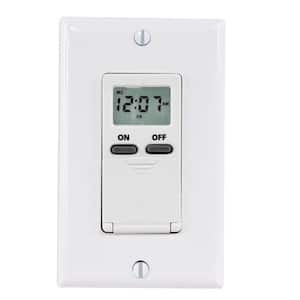
15 Amp Digital In-Wall Timer - White
The IW505K compact 7-Day timer provides up to 7-ON and 7-OFF operations per week which can be used for 24-hour or 7-day load control of lights, fans, pumps and other medium-duty loads for energy savings, security and convenience. The large LCD display provides an easy readout of time of day, mode and load status. The random feature can vary the time your lights turn on by a few minutes and deter burglars. Up to 14 ON/OFF events. Use with decorator style wall plate (sold separately). Also features battery backup and manual override. UL listed. General purpose: 15 Amp; Resistive: 15 Amp; Tungsten: 1000 Watt; Inductive Ballast: 8 Amp; Electronic Ballast: 5000 VA; Motor: 1/4 HP.
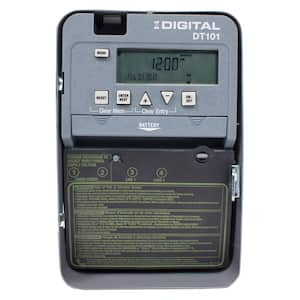
DT Series 1-Circuit 20 Amp 24 Hour Indoor Surface Mount Timer with Battery Backup, Gray
This series offers an easy way to upgrade from a basic mechanical time switch to an electronic time switch. These timers will allow for up-to-the-minute programming, battery backup for power loss, up to 28 events total, and automatic daylight saving time corrections without the need of user interaction. They come in a standard 24-hour Version that allows the schedule to repeat on a daily basis.
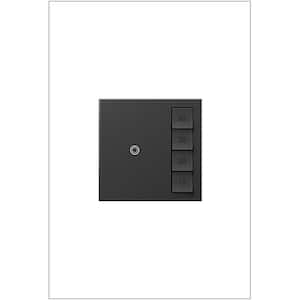
adorne Sensa 15 Amp 60, 40, 20, 10 Minute Single-Pole/3-Way Indoor Countdown Timer Switch with Microban, Graphite
The adorne collection by Legrand offers solutions to match any taste and finishes to fit any personality. Whether you favor the clean lines of modern design, or cozy, cottage-style comfort, or even the classic elegance of a more traditional style, adorne is built to fit. Take your pick of white, magnesium, or graphite switches, dimmers, and outlets, and match them with a wide array of wall plate options. You will find everything from lush natural woods, metals, and fabrics to a brilliant spectrum of colorful solids. Watch these usually forgotten finishing touches transform your walls from blah to breathtaking, letting the personality of your design shine through.
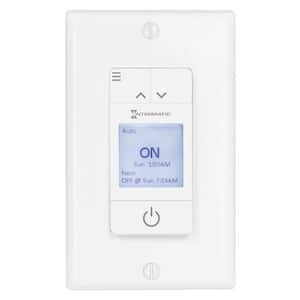
ASCEND Standard 15 Amp 7-Day Indoor Programmable In-Wall Timer with Auto DST and Astro ON/OFF in White
Come home to the ASCEND In-Wall Timer by Intermatic. A sleek, stylish design helps Ascend fit seamlessly with nearly any home decor or color scheme. Its visual LCD interface lets homeowners view upcoming events and make updates with ease. Three pre-programmed schedule templates make it easy to set and customize schedules in a matter of minutes. Homeowners can add up to 42 unique events throughout the week to ensure schedules match perfectly to fit their needs. Using geo-location information, ASCEND calculates Astronomic ON/OFF dusk and dawn times to provide the most accurate lighting schedule possible. It even adjusts automatically for Daylight Saving Time. ASCEND includes a battery backup that keeps time and date information in place for up to three days in the event of a power loss. Schedules and other settings are kept indefinitely in non-volatile memory.