Product Images
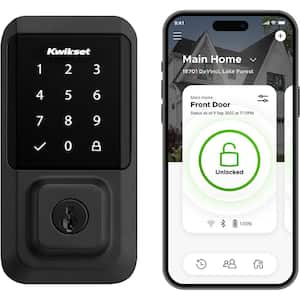
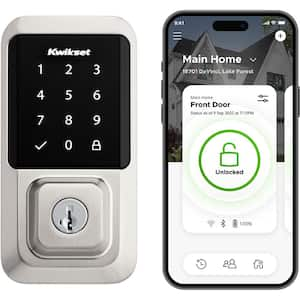
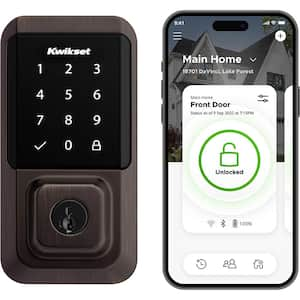
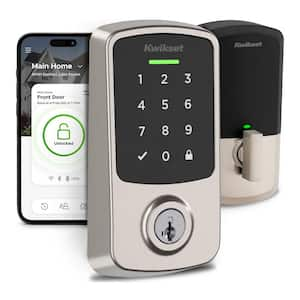
HALO Venetian Bronze Keypad WiFi Electronic Single-Cylinder Smart Lock Deadbolt featuring SmartKey Security

- Control anywhere with app or with Alexa and Google Home
- Control through home integrated Wifi; No smart home hub required
- Patented SmartKey technology allows you to rekey lock in seconds
- View More Details
Free & Easy Returns In Store
Return this item within 90 days of purchase.
Ask about this product
Get an answer now with AI
Magic Apron Assistant is an AI virtual assistant. By proceeding, you consent to the recording and use of your information by The Home Depot (and authorized third parties). More information
Product Details
About This Product
HALO Wi-Fi Smart Lock is a keyless entry electronic deadbolt featuring SmartKey that allows you to control the lock from anywhere there's an internet connection--no smart hub or bridge required! Using the Kwikset App, you can lock/unlock the deadbolt, program up to 250 user access codes, and receive notifications of your lock's use. This single cylinder deadbolt can be locked or unlocked by using the keypad or key from the outside as well as the turn button from the inside. The crisp, clean appearance of the Satin Nickel finish adds to the overall look of the product and brings a modern feel.
Highlights
- Unlock your door with the Kwikset mobile app, enter a code on the keypad or use the provided physical key.
- Remotely lock and unlock, share guest access, view activity history and more inthe Kwikset app. No hub required.
- The backlit keypad makes coming and going secure and simple. Easily lock andunlock your door without having to take out your keys.
- Share up to 250 temporary, scheduled or permanent access codes with familyand trusted guests
- Works with Amazon Alexa or Google Home. Control your smart lock withyour voice when your hands are full or you're in a hurry.
- Create automations for added convenience and security. Let Amazon Alexa orGoogle Home lock your door each night or welcome you home by turning onthe lights when you unlock the door.
- Receive real-time phone alerts if invalid code attempts or lock tamperingoccurs; the keypad disables after 3-consecutive incorrect code entries
- Enjoy security and peace of mind knowing your door can lock itself. Set aduration in the Kwikset app for your door to automatically lock after entry orexit - perfect for keeping your hands free.
- Protects against advanced break-in techniques and allows you to re-key yourlock yourself in seconds. Re-key all your locks to one Kwikset key for one-keyconvenience
- Installs in minutes with just a screwdriver and fits doors 1-3/8" to 1-3/4" thick.Includes an adjustable backset for door compatibility and a tapered latch tocompensate for improper door alignment caused by structural settling orwarping.
- Security, Durability and Finish are AAA BHMA certified, designed for thehighest level of security and the toughest environments with frequent use.
- For tech-savvy and security-conscious consumers seeking seamless integrationof advanced technology into their homes, the Kwikset electronic seriesmerges smart convenience with modern design to deliver cutting-edgesolutions that elevate living spaces
- Alarm sounds after 3-consecutive incorrect codes are entered
- Temporarily disable the keypad to prevent unwanted entry
- Includes traditional key functionality for peace of mind
- Tamper resistant interior cover
- Latch is 20-minute fire rated with round corner face
- Certified highest residential security, durability and finish - ANSI/BHMA grade AAA
- Latch has adjustable backset 2-3/8 in. - 2-3/4 in. to fit all standard door preparations
- Click here to shop all Kwikset products
- Click here for more information on Electronic Recycling Programs
- Return Policy
Product Information
Specifications
Dimensions
Faceplate Height (in.) | 5.4 in |
|---|---|
Faceplate Width (in.) | 2.8 in |
Required Door Thickness (in.) | 1-3/8 in to 2 in |
Details
Battery Type | AA Battery |
|---|---|
Commercial/Residential | Residential |
Connectivity | Wifi |
Deadbolt Type | Single Cylinder Deadbolt |
Door Handing | Universal |
Door Lock Style | Classic |
Door Locks & Knobs Product Type | Deadbolts |
Electronic/Mechanical | Electronic |
Features | Adjustable Backset, Automatic Relocking, Delay Timer, Easy Installation, Fail-Safe, Kwikset SmartKey, Rekeyable |
Finish | Venetian Bronze |
Finish Family | Venetian Bronze |
Hardware Color Family | Bronze |
Hardware Included | Deadbolt |
Included | Batteries Included, Drilling Template, Installation Instructions, Mounting Hardware |
Interior/Exterior | Exterior, Interior |
Keyway | KW1 |
Lock Type | Deadbolt |
Material | Metal |
Number of Batteries Required | 4 |
Power Options | Battery |
Power Source | Battery |
Remote Access | Remote Access |
Requires Hub? | No Hub Required |
Returnable | 90-Day |
Security/ANSI Grade | AAA |
Smart Home | Smart Home Enabled |
Smart Home Protocol | Wi-Fi |
Smart Technology | Keypad, WiFi |
Total Number of Keys Included | 2 |
Trim | Round |
Voice Control Hub Required | No Hub Required for Voice Control |
Works With | Alexa, Google, Google Assistant, Homey |
Warranty / Certifications
Manufacturer Warranty | Lifetime Mechanical-Finish, 1 Year Electronics |
|---|
Questions & Answers
Purchased this lock a couple months ago and like many other buyers, I have found out that it burns through batteries extremely quickly. In my case the batteries last just 2 months, What is the solution for this?
Put new batteries in and went threw process to reset then the word James keeps coming up on set up
In order for us to assist you with your Halo Wi-Fi-enabled lockset, please either contact our Technical Support Team at 1-800-327-5625 or submit a new case through the customer portal linked below. https://www.kwikset.com/support/ask-a-question/inquiry
Dose this device have zwave?
The Kwikset Halo deadbolt does not have Z-Wave capability. The Halo product line communicates using: -Wi‑Fi (Halo, Halo Touch, Halo Select) -Bluetooth (for setup and local communication)
Will this work with a 2” thick door
Yes. Most Kwikset Halo deadbolts are designed to fit standard doors 1-3/8" to 2" thick, so a 2" thick door is within the supported range.
Can the lock stay locked from the inside unless opened on the app for child safety reasons?
No. The Halo Touch does not have a feature that can keep the door permanently locked from the inside and require the Kwikset app for all unlocking.
How many digits for the code
For the Kwikset Halo series (Halo, Halo Touch, Halo Select), user access codes can be 4 to 8 digits long.
Does the temporary codes only work once?
No. On the Kwikset Halo deadbolt, a temporary code does not automatically become a one-time-use code.
How do we obtain extra keys
If you need extra keys for your Halo deadbolt, you can have duplicates made from the original key at most local hardware stores or locksmith shops.
Viewing 1-8 of 342
Customer Reviews
3.9 out of 5
5
1584
4
362
3
142
2
174
1
473
 Customer review from kwikset.comCustomer review from kwikset.com
Thank you for taking the time to share your experience. We’re sorry to hear about the battery drain you’re encountering with your Halo Touch—this is not the experience we want for our consumers.
To help improve your lock’s performance and battery life, we recommend keeping both your lock’s firmware and the Kwikset app up to date.
You may also find the troubleshooting steps in the following guide helpful:
https://www.kwikset.com/support/answers/how-can-i-extend-the-battery-life-of-my-smart-lock
If you need further assistance, our support team is always happy to help:
https://www.kwikset.com/support/customer-service
Thank you,
Kwikset

We’re sorry to hear that you weren’t able to find a deadbolt that matches your Halo Touch. We’d love to help! Please take a look at our San Clemente Matte Black Rectangular Deadbolt, which pairs beautifully with our San Clemente handlesets and offers a clean, modern look that may complement your setup.
https://www.homedepot.com/p/Kwikset-San-Clemente-Iron-Black-Single-Cylinder-Rectangle-Deadbolt-Featuring-SmartKey-Security-258-RCT-514-SMT-CP-K4/331979055
https://www.homedepot.com/p/Kwikset-San-Clemente-Matte-Black-Door-Handleset-with-Halifax-Square-Door-Handle-with-Microban-Antimicrobial-Technology-815SCEXHFLSQT514RBP/312213931
If you have any questions or would like help choosing the best option for your door, our Support Team is always here for you!
Thank you,
Kwikset
We're happy to help get the touchscreens working on your Halo locks. Please follow the steps below in order:
1. Open the door and lock the latch. Unscrew and remove the interior assembly of the lock. Ensure the cable is plugged in and tucked away from the spindle. See Section 4, Page 12.
https://kwiksetprodstorage.blob.core.windows.net/documents/kw_ig_5069937_halo_tch.pdf
2. Reattach the interior assembly and complete the Manual Handing Process with a fresh set of batteries: https://www.kwikset.com/support/answers/my-smart-lock-is-giving-me-a-jam-error
3. Program the Access Codes using the Kwikset App. Illuminate the screen by pressing the palm of your hand on the screen to test codes.
4. And to ensure smooth function, please check your door's alignment: https://www.kwikset.com/support/answers/how-do-i-check-door-alignment-for-my-smart-lock
Thank you,
Kwikset
Loading Recommendations
Compare Key Features
Product Snapshot | |||
|---|---|---|---|
Great for homeowners looking for keyless entry, making coming and going easier and more efficient. | Great for homeowners looking for keyless entry, making coming and going secure and simple. | Great for homeowners looking for keyless entry, making home access easier and more efficient. | Ideal for homeowners wanting Wi-Fi control, ensuring smart security and convenience. |
Connectivity | |||
Integration with Smart Home Systems | |||
Auto-Locking Feature | |||
Fingerprint Access | |||
Keypad Type | |||
Touchscreen | Touchscreen | Touchscreen |


Related Products

HALO Touch Venetian Bronze Traditional Fingerprint WiFi Electronic Smart Lock Deadbolt Featuring SmartKey Security
The Halo Touch fingerprint smart lock allows you to simply use your unique fingerprint to lock and unlock your door. Halo Touch has Wi-Fi built-in that connects directly to your home Wi-Fi network and smartphone for a secure smart home that does not require a third party smart home hub, panel or subscription. With up to 100 fingerprints (50 users), you can give access to your family and friends with their unique fingerprint and manage access through the Kwikset app. You can also lock and check the status of Halo using voice commands with Amazon Alexa and Google Assistant. This single cylinder deadbolt can be locked or unlocked by using the keypad or key from the outside as well as the turn button from the inside. The Venetian Bronze finish is hand-rubbed to reveal unique bronze highlights and provides a rich and warm complement to the product's style.
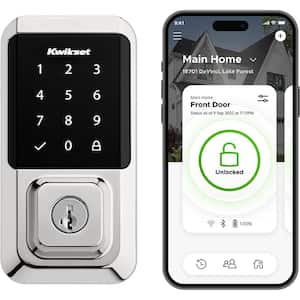
HALO Polished Chrome Touchscreen WiFi Keypad Electronic Single-Cylinder Smart Lock Deadbolt featuring SmartKey Security
HALO Wi-Fi Smart Lock is a keyless entry electronic deadbolt featuring SmartKey that allows you to control the lock from anywhere there's an internet connection--no smart hub or bridge required! Using the Kwikset App, you can lock/unlock the deadbolt, program up to 250 user access codes, and receive notifications of your lock's use. This single cylinder deadbolt can be locked or unlocked by using the keypad or key from the outside as well as the turn button from the inside. The crisp, clean appearance of the Satin Nickel finish adds to the overall look of the product and brings a modern feel.

HALO Touch Matte Black Contemporary Fingerprint WiFi Electronic Smart Lock Deadbolt Featuring SmartKey Security
The Halo Touch fingerprint smart lock is a keyless entry electronic deadbolt which allows you to simply use your unique fingerprint to lock and unlock your door. Halo Touch has Wi-Fi built-in that connects directly to your home Wi-Fi network and smartphone for a secure smart home that does not require a third party smart home hub, panel or subscription. With up to 100 fingerprints (50 users), you can give access to your family and friends with their unique fingerprint and manage access through the Kwikset app. You can also lock and check the status of Halo using voice commands with Amazon Alexa and Google Assistant. This single cylinder deadbolt can be locked or unlocked by using the keypad or key from the outside as well as the turn button from the inside. Complete your entryway refresh with a matching Kwikset door lever or handleset.
Aura Reach Satin Nickel Bluetooth + Matter Over Thread Enabled Smart Lock Deadbolt with Smart Home Integration
Discover Aura Reach, a Matter-enabled smart lock designed for convenience, easy integration, and exceptional security. Aura Reach works seamlessly with your existing smart home, and provides Bluetooth control when nearby. Share access with friends and family with up to 250 user codes, and rekey your lock in seconds to match your other Kwikset locks using SmartKey 1-key convenience. An interactive guide makes installation a snap: a screwdriver is all you need. Backed by Kwikset's 75 years of experience, the Aura Reach deliversconvenient connected security.