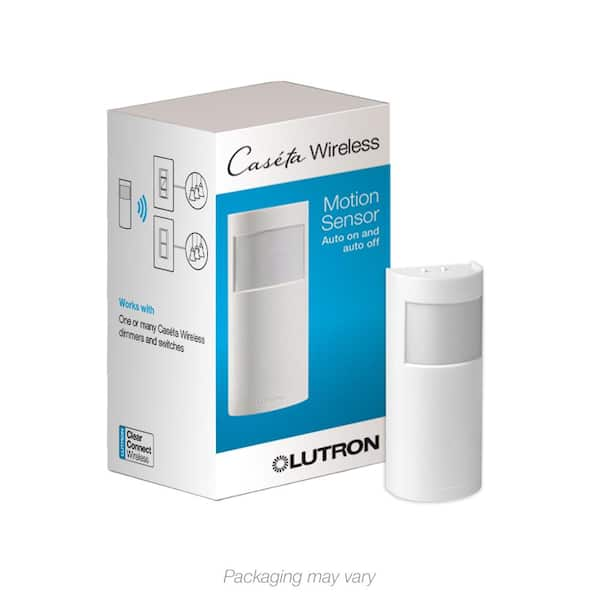
Caseta Motion Sensor, Occupancy/Multi-Location, White (PD-OSENS-WH)

- Sensor can turn on/off any number of Caseta smart devices
- Controls Caseta smart switches, dimmers, fan controls, and shades
- Independently tested/certified to meet strict safety standards
- View More Details
Free & Easy Returns In Store
Return this item within 90 days of purchase.
Ask about this product
Get an answer now with AI
Magic Apron Assistant is an AI virtual assistant. By proceeding, you consent to the recording and use of your information by The Home Depot (and authorized third parties). More information
Product Details
About This Product
Add enhanced automation to your Caseta dimmers, switches, and fan controls with your Caseta Motion Sensor. Program your Caseta Motion Sensor as an occupancy or vacancy sensor to automatically control any number of Caseta devices when you enter or leave a room. One motion sensor can control many Caseta devices within up to 60 ft. and can detect motion three times better than other comparative sensors. The motion sensor features a full 180° field of view, in addition to having a typical 10 year battery life, three times longer than the industry average. Use the motion sensor for occupancy or vacancy applications wherever it's needed - no wires required. Place it freestanding on a flat surface or mount to a wall or corner; this makes the motion sensor perfect for bathrooms, laundry rooms, hallways, garages, and more. Place in a high traffic area of your home for hands-free control of your lights; alternatively, place in a low traffic area of your home so you never have to remember if you turned the lights off. Set your desired light level on each device controlled by your sensor for further customization; when the sensor switches on, it will automatically turn your devices on to the preset level.
Highlights
- Sensing and control: sensor that can automatically turn off any number of caseta smart devices after you leave a room
- NEW Active Hours Feature: Set sensor to trigger your lights on/off based on time of day or sunrise/sunset; use the Lutron app to customize which time periods sensors are active, which lights the sensor controls, and their light levels
- Versatile and powerful: one sensor can turn off any number of caseta switches, dimmers, fan controls, and Serena smart shades within 60 ft.
- Breakthrough sensing technology: detects fine motion 3X better than other sensors; has 180° field of view
- Long-lasting battery life: 10 year typical battery life, 3x longer than the industry average
- Place it anywhere: use freestanding on a flat surface or mount to a wall or corner, perfect for bathrooms, laundry rooms, hallways, garages, and more - no wires required
- Customizable: set your desired level for each device controlled by the sensor
- UL Listed to show compliance with rigorous safety standards to prevent shock, fire and mechanical hazards

- Click here for more information on Electronic Recycling Programs
- Return Policy
Product Information
Specifications
Dimensions: H 4 in, W 2.25 in, D 1.25 in
Dimensions
Product Depth (in.) | 1.25 in |
|---|---|
Product Height (in.) | 4 in |
Product Width (in.) | 2.25 in |
Details
Amperage (A) | 0 A |
|---|---|
Circuit Connection | Multi-Location |
Color Family | White |
Color/Finish | WHITE |
Compatible Bulb Type | CFL, Halogen, Incandescent, LED |
Control Function | Motion Sensor |
Control Style | Push Button |
Coverage Area (sq. ft.) | 1800 |
Features | Programmable |
Field of View | 180 Degrees |
Finish Type | Gloss |
Hub Required | Lutron Bridge Hub |
Material | Resin |
Package Quantity | 1 |
Power Options | Battery |
Remote Access | Remote Access |
Requires Hub? | Requires Smart Hub |
Returnable | 90-Day |
Sensor Operation | Occupancy |
Smart Home | Smart Home Enabled |
Smart Home Protocol | Proprietary Protocol |
Voice Control Hub Required | Alexa via Proprietary Bridge/Gateway Google Assistant via Proprietary Bridge/Gateway Siri via Apple HomeKit |
Voltage (V) | 120 V |
Wall Plate Included | No Wall Plate |
Works With | Alexa, Apple HomeKit, Ecobee, Google, Google Assistant, Homey, Logitech Harmony, Lutron, Samsung SmartThings, Siri |
Warranty / Certifications
Certifications and Listings | UL Listed |
|---|---|
Manufacturer Warranty | 5 Year |
Questions & Answers
Can this sensor be used without a bridge, and just with a Caseta switch? I'm just looking for simple motion light activated lights in my garage.
Yes, the Lutron PD-OSENS motion sensor can work without a Smart Bridge and pair directly with a Caséta dimmer or switch for simple motion-activated lighting. It uses RF communication to control compatible Caséta devices, so you can set it up for Auto-On/Auto-Off or Manual-On/Auto-Off without needing the app or bridge for basic functionality. If you have any additional questions, please reach out to our Technical Support Team at support@lutron.com or give us a call at 1-844-LUTRON1.
Can I use this product with 3-way switches in stairwell? And will I need one at bottom of stairs and one at top of stairs, or can I put just one in middle ? Halfway up, half way down?
Hello Brian, The Caseta Motion Sensor (PD-OSENS) is able to wirelessly pair to any Caseta Dimmer or Switch. Each Caseta smart switch/dimmer can have up to 10 sensors paired to them. We have included the spec sheet for the wireless sensor below showing the sensors coverate. Depending on how long the stairwell is, you may need 2 sensors. https://assets.lutron.com/a/documents/3691125_eng.pdf If you have additional questions, please reach out to our Support Team at support@lutron.com or give us a call at 1-844-LUTRON1.
Can one motion sensor control 2 separate sets of lights?
Hello, thank you for your question. Yes, you are able to pair one Caseta Motion Sensor to two separate Caseta hard-wired controls for simultaneous occupancy sensing of two different sets of lights. See the below spec sheet for more information: https://assets.lutron.com/a/documents/3691125_eng.pdf We hope this helps! If you require further assistance, our 24/7 support team is here to help. We can be reached at 1-844-LUTRON1 or via email at support@lutron.com.
I have a 4 way set up, three floor hallway. Can I use this with (MS-OPS5MH-WH) and two maestro companion switches?
Hello Jimm, thank you for your question. The Maestro motion sensor model MS-OPS5MH does not have RF (radio frequency) capability to communicate to the wireless Caseta Motion Sensor. For multi-location sensor coverage, we may recommend using multiple of these PD-OSENS Caseta Motion Sensors paired wirelessly to an in-wall Caseta on/off switch such as model PD-5ANS: https://assets.lutron.com/a/documents/369987_eng.pdf https://assets.lutron.com/a/documents/3691125_eng.pdf We hope this helps! If you require further assistance, our 24/7 support team is here to help. We can be reached at 1-844-LUTRON1 or via email at support@lutron.com
Can I use two of these to control the same lights? I have two entrances that can't be seen one from the other. Botj units would be within 60 ft of the switch.
Thank you for your inquiry. The PD-OSENS can be placed in a line of sight from the sensor to the associated devices(no obstructions), within 60 ft (18.3 m) otherwise sensor must be within 30 ft (9.1 m). https://supportwiki.lutron.com/SiteAssets/Pages/Engineering/Tech%20Support/ASC/Caseta%20Motion%20Sensors/Caseta%20Motion%20Sensor%20Coverage%20Guide.pdf If you still have questions or concerns, please give us a call at 1-844-LUTRON1. We're here 24/7, so you can reach out anytime, day or night.
If you are using the Lutron App then you can use these motion detectors to turn on as many or few lights in your home system. Easy to setup and monitor and ours have worked very well. Highly recommend
Yes, if they are controlled by the Lutron Caseta family of smart switches and dimmers.
Is the connecting link between the sensor and the load control switch RF (radio frequency) or Optical? My anticipated load switch in the utility room would frequently be covered by hanging clothes like shirts.
Hello! Lutron products utilize a proprietary RF Signal called Clear Connect. You can learn more about the Clear Connect RF Signal here: https://assets.lutron.com/a/documents/Clear_Connect_Technology_whitepaper.pdf If you still have questions or concerns, please give us a call at 1-844-LUTRON1. We're here 24/7, so you can reach out anytime, day or night.
Given that this device is not rated for outdoor use, what would the reduction in effectiveness be going through a typical sliding glass door? I would like to add a motion sensor to my back porch light that already has a Caseta switch on it.
Hello! The PD-OSENS motion sensor utilizes Passive Infrared motion sensing. Passive Infrared is a combination of heat and motion, which will not be detected through windows or glass. As per the specification sheet, "The sensor cannot detect occupants through glass objects such as patio or shower doors". For more information, please check out the specification sheet here: https://webapiaw1proddat01st01.blob.core.windows.net/assets/documents/3691125_ENG.pdf If you still have questions or concerns, please give us a call at 1-844-LUTRON1. We're here 24/7, so you can reach out anytime, day or night.
How long will the lights stay on after the sensor triggers? Is that adjustable?
Hello! By default, the timeout period is set to 5 minutes. This is adjustable by pressing the timeout buttons on the back of the device. Your options are 1, 5, 15, and 30 minutes. You can view more information about the device in the installation guide: https://webapiaw1proddat01st01.blob.core.windows.net/assets/documents/0301947.pdf If you still have questions or concerns, please give us a call at 1-844-LUTRON1. We're here 24/7, so you can reach out anytime, day or night.
It has been a bit since I installed, but I remember it as being adjustable. 5, 10 or 15 min?
Viewing 1-8 of 14
Customer Reviews
4.2 out of 5
5
33
4
5
3
3
2
5
1
3
 Customer review from homedepot.ca
Loading Recommendations
Compare Key Features
Product Snapshot | |||
|---|---|---|---|
Ideal for customers who want smart, customizable motion control, ensuring hands-free convenience and long battery life. | Ideal for small rooms, this motion sensor switch offers dual-sensing technology and adjustable settings for optimal lighting control. | Ideal for automating lights with dual-circuit control, motion sensing, and ambient light detection for energy efficiency. | Ideal for customers who want reliable dual-tech motion sensing, ensuring lights turn on/off automatically. |
Detection Range | |||
60 ft. | 900 sq. ft. | 900 sq ft | |
Adjustable Sensitivity | |||
Ambient Light Detection | |||
Time Delay Settings | |||
Adjustable via app | 1, 5, 15, or 30 minutes | 1, 5, 15, or 30 minutes | 1, 5, 15, 30 minutes |
Coverage Angle | |||
180 Degrees | 180 Degrees | 180 Degrees | 180 degrees |
Related Products
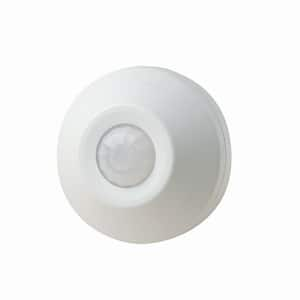
White Ceiling Mount Occupancy Motion Sensor, 1000-Watt/120-Volt Switching Relay, 360 Degree Field Of Vision,
This attractive indoor occupancy sensor adds safety and convenience to your home or office with its 360° field of vision. You can connect this sensor to scare an intruder that has entered the premises and adds convenience by turning lights on in rooms such as bathrooms when light is only needed when a person is present. With this sensor's easy installation you can connect it to an incandescent or fluorescent light. You have a great amount of adjustability allowing you change the simple setting to match exactly what you desire. With this sensor you are able to adjust the amount of time your light stay on when motion is detected anywhere from 20 seconds to 15 minutes. You also have the ability to adjust this sensor to turn on at different levels of ambient light, allowing you to choose whether your lights turn on when it's slightly dim or completely dark.
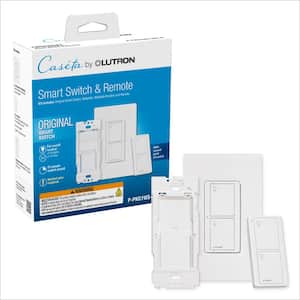
Caseta 3-Way Smart Light Switch Kit for All Light Bulbs or Fans, 5A/Neutral Wire Required, White (P-PKG1WS-WH-R)
Ensure you and your family always enter a well-lit home. Use the smart switch to set your front porch lights to turn on at dusk, ensuring your home is not dark when you return. Create schedules to turn lights on and off at set times to best fit your everyday routines and activate custom lighting scenes with just the touch of a button. Schedule your outdoor lights to turn on every night, as the sun sets - even when the seasons change and you gain or lose an hour. The geofencing feature allows you to never have to worry that you forgot to turn off the lights - set your lights to instantly turn off the minute you leave your home. (Smart bridge required for schedules and geofencing.) Caseta allows you to control your lights, your way - use the free app, your voice (voice assistant and smart bridge required), the wireless Pico remote, or the switch at the wall itself. The smart switch also allows you to control multiple styles of bulbs at once - control your deck and patio lights all at once to transform your outdoor living space for your family and guests. For added convenience, use your smart switch with the included wireless Pico remote to turn your lights on or off with the simple touch of a button from anywhere in your home. Add an extra point of control and mount your Pico to virtually any surface with the included Pico wall mount bracket, no cutting holes or pulling wire required. Neutral wire required.
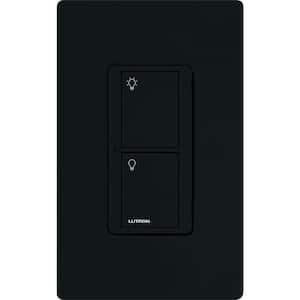
Caseta Smart Switch for Lights or Fans, 6 Amp, Push Button Light Switch Neutral Wire Required, Black (PD-6ANS-BL)
Experience the ultimate convenience in lighting control with Lutron's family of Caseta dimmers, switches, and smart phone control. The Caseta by Lutron In-Wall Switch provides switching of multiple load types and, when paired with Pico remote controls, allows remote control from anywhere in the space. Use the Pico remote control either in your hand, on a tabletop pedestal or by mounting the remote directly to the wall (remote control and accessories sold separately). You can even use the Pico remote to control the lights from your car as you arrive home. This switch works with up to 720-Watt of incandescent, halogen, ELV and MLV, 6 Amp of dimmable LED/CFL and 3.6 Amp of general purpose fans. Neutral wire required. Coordinating wall plate sold separately.
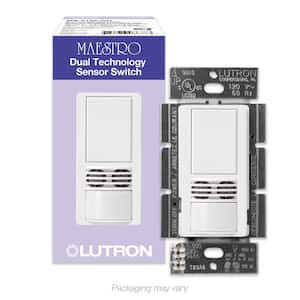
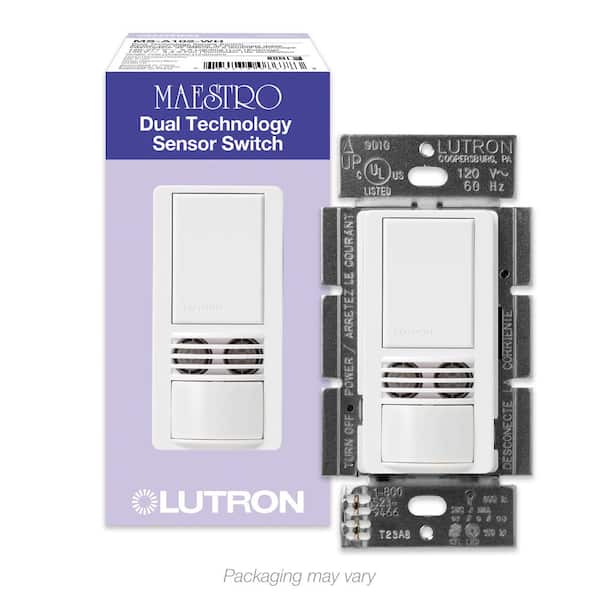
Maestro Dual-Tech Motion Sensor Switch, 6-Amp/Single-Pole, White (MS-A102-WH)
Introducing Lutron's latest sensing technology, the Maestro Dual Technology sensor uses both passive infrared and ultrasound waves to ensure reliable sensing in small rooms. You'll never worry about accidently leaving the lights on again with the Maestro Sensing Switch because it turns the lights on when you enter the room and off after you leave. This sensor has an adjustable timeout (1, 5, 15 or 30 minutes), so you can control how long the lights stay on after you leave the room and features XCT Dual Sensing Technology (PIR and ultrasound) which detects very fine motion, such as typing at a desk or reading, ensuring lights do not turn off inadvertently. Equipped with ambient light detection, you can customize your sensor to detect daylight so lights don't turn on with enough natural light in your room. Maestro Sensors work with any bulb type, including CFL's and LED's and will match the decor of any room in your home. Installing and setting up a Maestro in-wall, dual-technology occupancy sensor is a simple, easy and low cost way to save energy and add light automation to your home. Coordinating Claro wall plate and accessories sold separately.